
Captions vs Subtitles vs SDH: What’s the Difference?
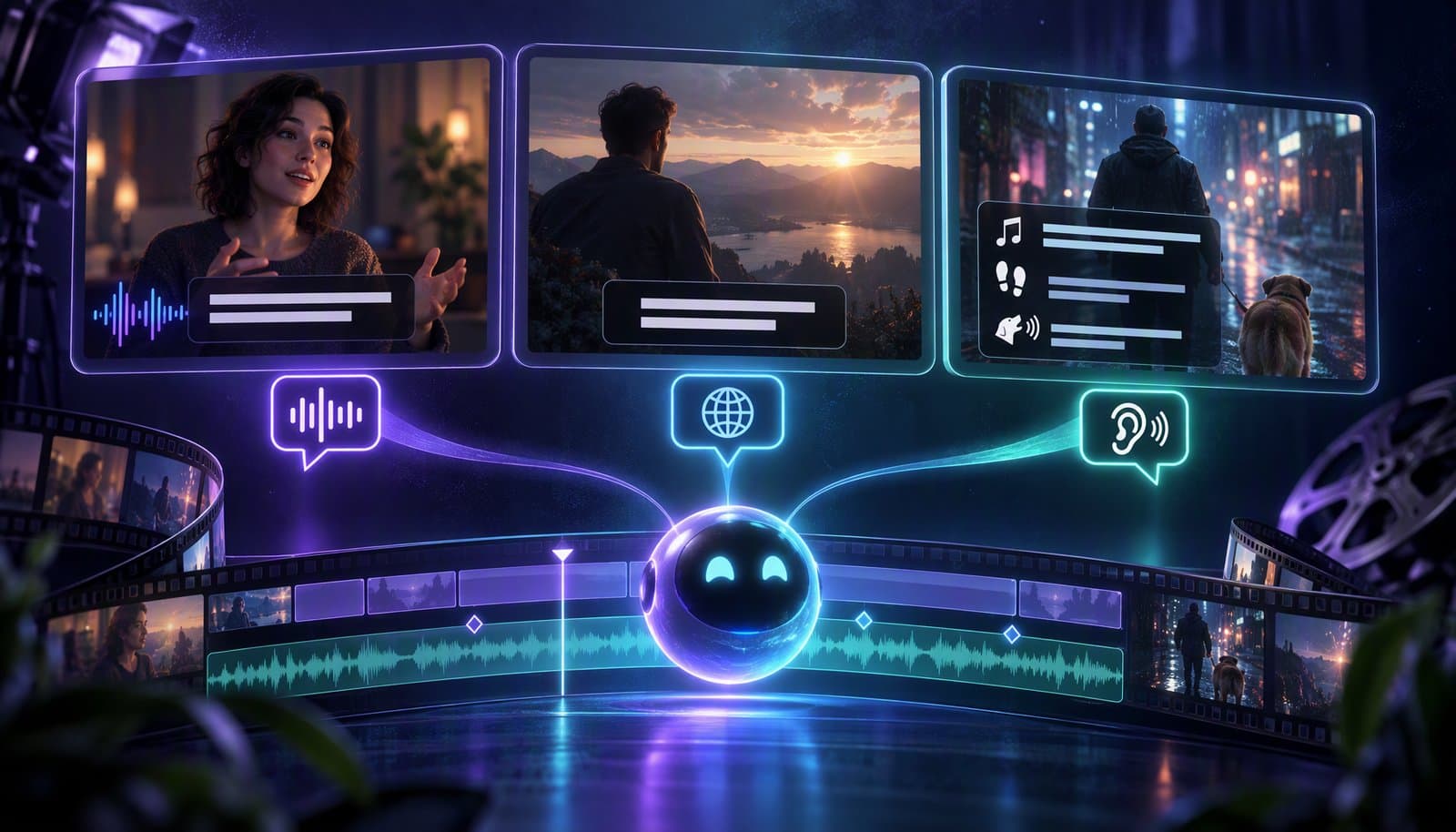
Captions convey speech and meaningful non-speech sound for viewers who cannot hear the audio. Subtitles often translate dialogue, although some regions use the word for same-language captions too. SDH means subtitles for Deaf and hard-of-hearing viewers and overlaps with captions. These labels describe content and audience; open or closed describes whether viewers can switch the text off.
A menu offering “English,” “English CC,” and “English SDH” can look like three competing technologies. Usually, the important differences are what information each track includes, which soundtrack it follows, and how the player delivers it. Buying a captioning tool before answering those questions can leave you with beautifully styled words but missing access information.
This guide focuses on prerecorded video. The examples are illustrative, not a compliance assessment or a demonstration of a particular application. For the underlying speech-to-text step, start with our video transcription glossary entry.
Understand the three labels
The W3C Web Accessibility Initiative captions guide defines captions as synchronized text representing speech and the non-speech audio information needed to understand the content. A transcript of dialogue is therefore a starting point, not necessarily a finished caption track. A warning buzzer, an offscreen response, or laughter that changes a line's meaning may need text too.
“Subtitles” has a regional wrinkle. In common US usage, it often means translated dialogue for someone who can hear but does not understand the spoken language. In the UK and other regions, subtitles can also mean same-language access text. WAI explicitly recognizes both usages, distinguishing intralingual subtitles from interlingual subtitles when precision matters.
| Label | What it usually tells you | What it does not establish |
|---|---|---|
| Captions | Speech plus meaningful audio information, usually in the soundtrack's language | That the text was human-reviewed or can be switched off |
| Dialogue subtitles | Dialogue presented in text, often translated | That speaker labels, music, or sound effects are included |
| SDH | Subtitles designed for Deaf and hard-of-hearing viewers, including relevant audio context | A unique file format or an accessibility certification |
| CC or closed captions | The presentation offers a selectable caption layer | That every cue is accurate, complete, or well timed |
SDH is not a mutually exclusive third box beside captions and subtitles. It describes an accessibility-oriented subtitle service. The same English text can reasonably be called captions in one workflow and English SDH in another. Distribution conventions may distinguish them operationally, but brackets alone do not create a separate technical category.
For a primary example of industry usage, Netflix's English timed-text guide separately documents English SDH and translated English subtitles. Those are Netflix delivery conventions, not definitions binding every creator or platform. Inspect the actual track rather than treating a menu label as proof of completeness.
Separate language from accessibility
Ask two questions independently: “Which language should this viewer read?” and “Which audio information must become visible?” Someone watching Spanish dialogue may want an English translation while still hearing the music and identifying voices. Another viewer may need that English translation plus sound descriptions and speaker attribution. Translation and hearing access can be needed together.
A useful commissioning brief might request “English translation with meaningful sound labels and speaker identification,” rather than just “English subtitles.” Conversely, an English-language recording may need same-language access captions without any translation work. The WAI guide notes that translated subtitles can include translations of the full caption content, not only speech.
A dubbed version creates another decision. An English SDH track accompanying an English dub should follow that dub, not blindly reuse an English translation of the original soundtrack. Dubbing may change sentence structure, word choice, and timing. Netflix's guide specifically addresses matching SDH to dubbed audio; the general lesson is to identify the soundtrack version before preparing text.
For multilingual dialogue, preserve meaningful language switches and use a reviewer who understands the relevant languages. Do not guess a language from an accent. Decide whether intentionally untranslated dialogue should remain unexplained, following the editorial brief while giving viewers equivalent information about the audible language change when relevant. A mysterious voice should not acquire a name merely because the production script reveals it.
Track labels should communicate the language and service clearly: “English — captions” and “Español — dialogue translation,” for example. Labeling both tracks “English” makes the right choice harder. Captions address audio information; they do not replace audio description of important visual action, nor does translating a sign automatically make the surrounding video accessible.
Decide what the viewer needs to know
The test for a sound label is not “Did a microphone capture something?” It is “Would missing this sound change understanding, atmosphere, or the ability to follow the action?” The WCAG explanation of prerecorded captions includes dialogue, speaker identification, and meaningful sound effects. It does not ask captioners to describe every incidental rustle.
| Audible event | Useful illustrative wording | Editorial reasoning |
|---|---|---|
| A latch rattles before anyone speaks | [Latch rattles] | Explains why a character suddenly becomes alert |
| An unseen participant answers a question | [Noah] Not yet. | Prevents attribution to the person currently pictured |
| A threatening musical cue begins | [Ominous music begins] | Communicates relevant tone without inventing a plot explanation |
| Several words are masked by an alarm | [Alarm drowns out speech] | Reports the obstacle instead of fabricating missing words |
| An irrelevant clothing rustle | Usually no separate cue | Avoids competing with the information viewers actually need |
Describe audible evidence, not hidden motives. “[Door slams]” is a sound description; “[Maya leaves angrily]” is a visual and psychological interpretation. If anger is clearly conveyed through the delivery and matters, choose an appropriate, restrained vocal description. Do not convert every line into an emotional diagnosis.
Speaker attribution should resolve ambiguity. Use a person's name only when it has been established and is appropriate to disclose. A confirmed role such as “[Interviewer]” or a neutral recurring label such as “[Speaker 2]” can be more accurate than an unsupported name. Avoid assigning gender, ethnicity, or other personal characteristics from a voice.
You do not need a name before every line when the speaker is obvious. You do need a consistent approach for offscreen voices, narration, telephone conversations, and rapid exchanges. Color or positioning may assist attribution in a controlled delivery system, but explicit wording is more portable when the destination ignores styling. Do not make color the only usable distinction in an otherwise ambiguous exchange.
Overlapping speech deserves editorial attention rather than an automatic “one speaker at a time” rule. If both contributions are intelligible and important, represent both, with clear attribution and workable reading time. If the recording itself is unintelligible, label the overlap honestly. A generic “[People talking]” should not replace a recoverable sentence that changes the story.
The BBC Subtitle Guidelines provide detailed advice on significant sound effects and speaker identification. Their punctuation, colors, and delivery formats are intended for BBC work. Borrow the reasoning when useful, but follow the actual commissioning specification rather than mixing incompatible house styles.
Choose open or closed delivery separately
Open captions cannot be turned off in their delivered presentation. Burning text into the video image is a common way to provide them. Closed captions are a separate presentation layer that a suitable player lets the viewer show or hide. A translated subtitle track can also be open or closed; neither choice determines the language or completeness of its content.
| Deliverable | What remains editable | Main advantage | Main limitation |
|---|---|---|---|
| Separate timed-text file or selectable track | Text and timings, through a compatible workflow | Corrections and additional languages need not change the video pixels | The destination must retain, expose, and render the track correctly |
| Burned-in video | The original project may remain editable, but exported text is pixels | Text stays visible when the video is copied into players without caption controls | Viewers cannot remove, restyle, or switch that text |
| Plain text transcript | The document's words and structure | Convenient reading, searching, quoting, and review | It does not itself synchronize text with playback |
| Interactive transcript | Text plus time links, where implemented | Readers can navigate from text to corresponding moments | Navigation and assistive-technology behavior depend on the player |
“Editable captions” can mean that text is editable inside an editor, not that the exported video contains a selectable caption track. Likewise, a container can carry a separate track, but a social platform may discard it during processing. Ask about the complete delivery route, not just the export dialog.
Retain a clean video master and the corrected timed text when your workflow supports them. A spelling correction then need not force a new picture export for every destination. If burned-in text is the only deliverable available, correcting that delivered copy generally requires rendering it again from an editable source.
A transcript is valuable alongside captions, but is not a blanket replacement for synchronized captions in video. WAI distinguishes media types and requirements, and WCAG 1.2.2 has a specific exception for clearly labeled media alternatives to text. Do not stretch that exception into “posting any transcript makes captions unnecessary.” These are accessibility recommendations, not universal legal advice; contractual and jurisdictional obligations require their own review.
One scene rendered three ways
Here is one invented scene represented as accessible text, not an attached video or a captured player. Maya and Noah have already been introduced. Maya stands by a door; Noah is offscreen. They speak English. Maya warns Noah not to open the door. The latch then rattles, Noah asks a question, Maya answers, and someone knocks.
The three text treatments below share the same hypothetical media clock. The Spanish dialogue subtitles translate the spoken lines only. English captions and English SDH include the information needed without hearing the sound. The illustrative Spanish wording is not a commissioned or certified localization.
| Time in the scene | Spanish dialogue subtitles | English captions | English SDH |
|---|---|---|---|
| 00:00.500–00:02.500; Maya speaks | No lo abras todavía. | [Maya] Don't open it yet. | [Maya] Don't open it yet. |
| 00:02.500–00:04.000; latch noise | No cue | [Latch rattles] | [Latch rattles] |
| 00:04.000–00:06.500; Noah speaks offscreen | ¿Hay alguien afuera? | [Noah] Is someone outside? | [Noah] Is someone outside? |
| 00:07.000–00:09.000; Maya answers | No lo sé. | [Maya] I don't know. | [Maya] I don't know. |
| 00:09.000–00:11.000; knocking | No cue | [Knocking on door] | [Knocking on door] |
The captions and SDH columns are identical on purpose. There is no need to invent a content difference simply because the labels differ. A real distributor might require a different speaker-label convention or technical package, but both columns perform the same access function here.
The dialogue-only translation is not inherently badly made: it serves a different brief. However, it omits the rattling latch and the knock following Maya's answer. A Spanish-speaking viewer who cannot hear would need the relevant sound labels translated too. That would combine language access with hearing access rather than force a choice between them.
Notice also what the table does not do. It does not call the knock “a burglar arriving,” reveal an unknown visitor's name, or announce the knock before it happens. Those changes would give the text viewer different story information. Captioning should preserve the experience, not add an omniscient commentary track.
Read an illustrative SRT and WebVTT file
A timed-text cue pairs a start and end time with the text to show. The examples below contain only the first two cues from the invented scene. They are illustrative syntax examples, not attached caption assets, complete delivery packages, or evidence of Loopdesk import or export support.
Illustrative SRT
1
00:00:00,500 --> 00:00:02,500
[Maya] Don't open it yet.

2
00:00:02,500 --> 00:00:04,000
[Latch rattles]
The cue number comes first, followed by the timing line and text. Blank lines separate cues. This common SubRip form uses a comma before milliseconds. The YouTube supported-files documentation provides an SRT example and specifies plain UTF-8 for its basic SRT import. It also says that styling markup is not recognized in that import path.
Illustrative WebVTT
WEBVTT

00:00:00.500 --> 00:00:02.500
[Maya] Don't open it yet.

00:00:02.500 --> 00:00:04.000
[Latch rattles]
WebVTT begins with the WEBVTT header and uses a period before milliseconds. Cue identifiers are optional. The W3C WebVTT specification defines its syntax, cue settings, voice spans, and overlapping cues. It is the format authority, not a promise that every platform implements every feature.
For example, the voice annotation <v Maya> can associate cue text with a speaker. The annotation does not automatically print “Maya:” for viewers. If visible attribution is needed, ensure the displayed text or another reliably supported presentation method provides it. Our examples use literal bracketed labels to avoid implying otherwise.
Both examples use elapsed media time, not hours recorded on a camera's production timecode display. An intro added before this scene changes its final playback offsets. Renaming an SRT file to end in .vtt is not a conversion: the header and timestamp syntax differ, and richer formatting or metadata may need deliberate translation. For a side-by-side comparison and conversion steps, see SRT vs VTT file formats.
WebVTT permits cue overlaps, but simultaneous cues can stack, collide, or be transformed by a destination. Test the intended player. A combined cue with two clearly attributed lines may be appropriate for simultaneous short speech, while sequential speech should not be made to appear simultaneous just to save space. Syntactic validity and readable presentation are separate checks.
Tune readability, timing, and placement
Readability is a relationship between text, language, audience, image, and exposure time. A character limit is a useful production constraint, not a universal measure of understanding. With proportional fonts, “minimum” and “ill” occupy different widths even before font size and device scaling enter the picture.
The BBC recommends a subtitle speed of 160–180 words per minute in its guidance, with editorial qualifications. Netflix's English SDH guide specifies up to 20 characters per second for adult programs and 17 for children's programs. These are different measures in different delivery contexts, not interchangeable accessibility laws.
For an illustrative calculation, 60 displayed characters over three seconds equals 20 characters per second. Nine words over those same three seconds equals 180 words per minute. Count according to the receiving specification, including its treatment of spaces, punctuation, and speaker labels. Two cues with matching rates can still differ greatly in difficulty if one contains a familiar phrase and the other a technical term and serial number.
Language-specific review matters. English word rates do not transfer mechanically to Japanese, Chinese, or Thai, where word segmentation and writing conventions differ. Arabic and Hebrew need correct text direction, mixed-direction handling, glyph shaping, and punctuation placement. A font advertising broad language coverage does not prove that a particular exported cue renders correctly. Use the target-language delivery guide and a competent reviewer.
Break text at meaningful phrase boundaries. Avoid separating a person's first and last name, a negation from its verb, or an article from its noun when another break works. Shortening a line by deleting “not” can reverse the message. A clean-looking two-line shape is not worth losing a qualification, warning, or uncertainty that the speaker actually expressed.
Timing should follow the audible event. Do not reveal a punchline before the delivery, leave a previous speaker's text over a new response, or announce an alarm before it sounds. Small extensions into available space can help reading, but they must not misattribute words or change the event's perceived timing. Check fast exchanges at normal playback speed, not only frame by frame.
Caption placement should be checked against the actual picture and player controls. Keep meaningful faces, mouths, instructions, diagrams, and existing lower-thirds understandable. Treat captions as an overlay on the composition rather than assuming every video needs a permanently empty bottom band. Reposition or reflow the text when the supported delivery system allows it.
A broadcast safe-area percentage is not a universal social-platform template. Native interfaces can add controls, account names, buttons, and other overlays in different places on different devices. A selectable track may be repositioned or resized by the player or viewer. Burned-in text cannot negotiate with those overlays after upload.
Use clear typography and dependable contrast against changing footage. A background box often preserves contrast more consistently than a thin shadow over alternating bright and dark shots. Preview small-screen playback, enlarged caption settings, and font fallbacks. Do not depend on animated emphasis to carry words that disappear too quickly to read. WAI warns that positioning and styling support is inconsistent, so the destination preview is part of quality control.
Build and review the right deliverables
-
Write the access and delivery brief. Identify the soundtrack version, spoken languages, reading languages, intended audiences, receiving platform, and required file formats. State whether the deliverable includes full sound information, translated dialogue only, selectable tracks, burned-in text, and a transcript. Resolve ambiguous terms with a short sample before commissioning a long recording.
-
Work against the correct edit. Create a transcript early if it helps logging, but finish captions against the version people will actually watch. Cuts, speed changes, added intros, and replacement audio can invalidate timing. Our guide to removing silence without choppy cuts addresses the editing side; any timing-changing pass needs a subsequent caption check.
-
Correct words before polishing presentation. Listen for names, numbers, acronyms, negations, technical vocabulary, and uncertainty. Compare the actual soundtrack rather than an outdated script. WAI explicitly cautions that automatic captions are not sufficient unless confirmed fully accurate. Our guide to the follow-up question, are auto captions ADA compliant?, covers WCAG 1.2.2 and the ADA Title II rule. Attractive animation does not repair a wrong amount or a missing safety instruction.
-
Review sound information and attribution. Perform a deliberate second pass for offscreen speakers, meaningful music, alarms, laughter, and overlap. Speaker diarization and transcription explain different parts of this job: grouping voices does not establish real names or decide which sound descriptions are needed.
-
Localize and test the delivery. Give translators the corrected source, picture context, and relevant sound labels, not just isolated text cells. Inspect each language's timing and wrapping. Upload a test to the actual destination, select every track, seek into the middle of cues, and check start, middle, and end synchronization. Confirm that the corrected upload replaces the intended version rather than creating a second obsolete track.
Keep a revision record tying the final media version to its caption files and reviewer approvals. Text can expose confidential names or off-record remarks that are easy to overlook when reviewing only the picture. Publish only the approved scope. Making text machine-readable can improve access and usability, but does not guarantee search-engine indexing, rankings, rich results, or discovery on any platform.
Troubleshoot failures by their cause
A failed upload, a semantic omission, and a readability problem require different fixes. First establish whether the error exists in the caption source, the timing map, or the destination's rendering. Rewriting accurate words will not fix a player that discarded the track.
| Symptom | Likely cause to investigate | Useful next action |
|---|---|---|
| Text is consistently late throughout | Fixed offset, missing intro, or wrong media start | Compare several known events before applying one global shift |
| Timing grows progressively worse | Speed change, clock mismatch, or inappropriate timebase conversion | Check source and delivery durations; repair the mapping rather than shifting every cue equally |
| Timing jumps after one edit | Caption file belongs to an earlier cut | Rebuild or conform the affected region against the final export |
| Words are correct but the scene is confusing muted | Missing sound information or speaker attribution | Review the semantic content, including offscreen events and overlap |
| Two caption sets cover each other | Burned-in text plus a native or automatic track | Choose a deliberate delivery combination and test what viewers can turn off |
| Font and positioning vanish after upload | Destination supports only part of the format | Use supported features and inspect native playback rather than the editor preview |
| Accents or letters become broken symbols | Encoding or font coverage problem | Check UTF-8 handling and actual glyph rendering through the complete export chain |
If a few cues are unreadably fast, inspect their neighbors before compressing the whole script. A phrase split at the wrong point may need regrouping. A dense technical instruction may need a revised edit or carefully approved wording, not a smaller font. If many words are wrong, revisit the source audio and transcription rather than correcting only the most embarrassing lines.
An unlisted or private test upload is still an upload to an external service. Use permitted test material and your organization's approved account. Platform processing can change, so keep a concise record of which delivery route and devices you checked instead of declaring the file “compatible everywhere.”
What this means in Loopdesk
Disclosure: this article is written by a member of the Loopdesk team, and Loopdesk is our product. The Loopdesk feature specifications document automatic captions, caption editing and styling, and right-to-left language support. Those capabilities can help create text for video, but they do not by themselves establish complete SDH authoring or a reviewed accessibility deliverable. For the step-by-step workflow, see how to add auto captions to any video.
Do not infer SRT or WebVTT import/export, selectable multilingual track packaging, preservation of every positioning feature, or automatic description of meaningful sounds from the phrase “animated captions.” Confirm the required operation in the current interface or product documentation before planning a delivery around it. The format examples in this article are general technical examples, not screenshots of shipped Loopdesk features.
For related concepts, the video editing glossary connects captions with transcripts, timelines, and delivery terminology. Choose the tool by the information and files you must deliver, then verify the final viewing experience.
Pre-publish checklist
- Confirm that captions match the approved final picture and soundtrack, including dubbed or alternate-language versions.
- Identify each track's language and purpose clearly enough that a viewer can choose without guessing.
- Listen through all dialogue; verify names, numbers, negations, and specialist vocabulary against reliable production information.
- Review meaningful non-speech audio, offscreen voices, and overlap without inventing inaudible words or undisclosed identities.
- Check reading time and line breaks in each language, including speaker labels, unfamiliar terms, and meaningful pauses.
- Inspect contrast, glyphs, placement, and important visual information in the intended aspect ratios and actual player.
- Check start, middle, end, and every timing-changing edit for synchronization; distinguish a fixed offset from drift.
- Test toggling, track switching, and duplicate overlays where supported. Do not assume a native player reproduces editor styling.
- Retain the corrected editable text and clean master when available, record review decisions, and publish only approved information.
- Check applicable accessibility and delivery obligations separately; neither a file extension nor an SDH label certifies compliance.
Frequently asked questions
Are captions and subtitles always different?
No. In common US usage, captions include meaningful audio information and subtitles often translate dialogue. Other regions use subtitles for same-language access text too. Check the language, included information, and delivery rather than relying on the label.
What does SDH stand for?
SDH means subtitles for the Deaf and hard of hearing. They include dialogue plus relevant speaker identification and non-speech sound. SDH overlaps with captions; it is not a unique file format or an accessibility certification.
Can translated subtitles also provide hearing access?
Yes. A translation can include meaningful sound descriptions and speaker attribution as well as dialogue. Specify that requirement explicitly, because a dialogue-only translation may assume the viewer can hear the soundtrack.
Are closed captions different from burned-in captions?
Closed captions can be shown or hidden in a compatible player. Burned-in captions are part of the video pixels and cannot be switched off in that copy. Either presentation can contain the same words and sound labels.
Does an SRT file automatically qualify as SDH?
No. SRT stores timed text; it does not certify the content. An SRT file may contain dialogue only, a translation, or full access captions. Review its words, speaker labels, meaningful sounds, timing, and destination behavior.
Can a transcript replace captions on a video?
Not as a general rule. A transcript is useful for reading and navigation, but captions synchronize audio information with playback. Requirements depend on the media and applicable standard; a transcript alone does not automatically satisfy video caption requirements.
Is there one correct caption reading speed?
No. Language, audience, text complexity, picture activity, and delivery specifications matter. Words per minute and characters per second measure different things. Use the relevant language and platform guidance, then review actual playback.
How should overlapping speakers be captioned?
Preserve intelligible, meaningful contributions with clear attribution and readable timing. Test simultaneous cues in the target player. If the recording is genuinely unclear, label the overlap honestly instead of inventing words.
Are automatic captions ready to publish?
Treat them as a draft. Check dialogue, names, numbers, negations, timing, speaker attribution, and meaningful sound. A transcript can be mostly correct while omitting information essential to understanding the scene without audio.
Sources
Primary references checked for this guide on September 14, 2026. Platform style requirements are scoped to their own delivery systems.
- W3C WAI: Captions/Subtitles — regional terminology, access content, open and closed presentation, automatic-caption review, and player limitations.
- W3C: Understanding WCAG 2.2 Success Criterion 1.2.2 — prerecorded caption scope, meaningful sound, speaker identification, and the media-alternative exception.
- BBC: Subtitle Guidelines — editorial, timing, line-breaking, and positioning guidance for BBC subtitle work.
- Netflix: English (USA) Timed Text Style Guide — SDH terminology and English-specific delivery conventions, including dubbed audio and reading rates.
- W3C: WebVTT — file syntax, cue timing, overlapping cues, and voice annotations.
- YouTube Help: Supported subtitle and closed caption files — SRT syntax example, encoding, and destination-specific format limitations.