
Video SEO in 2026: How to Get Videos Found in Google, YouTube and AI Answers
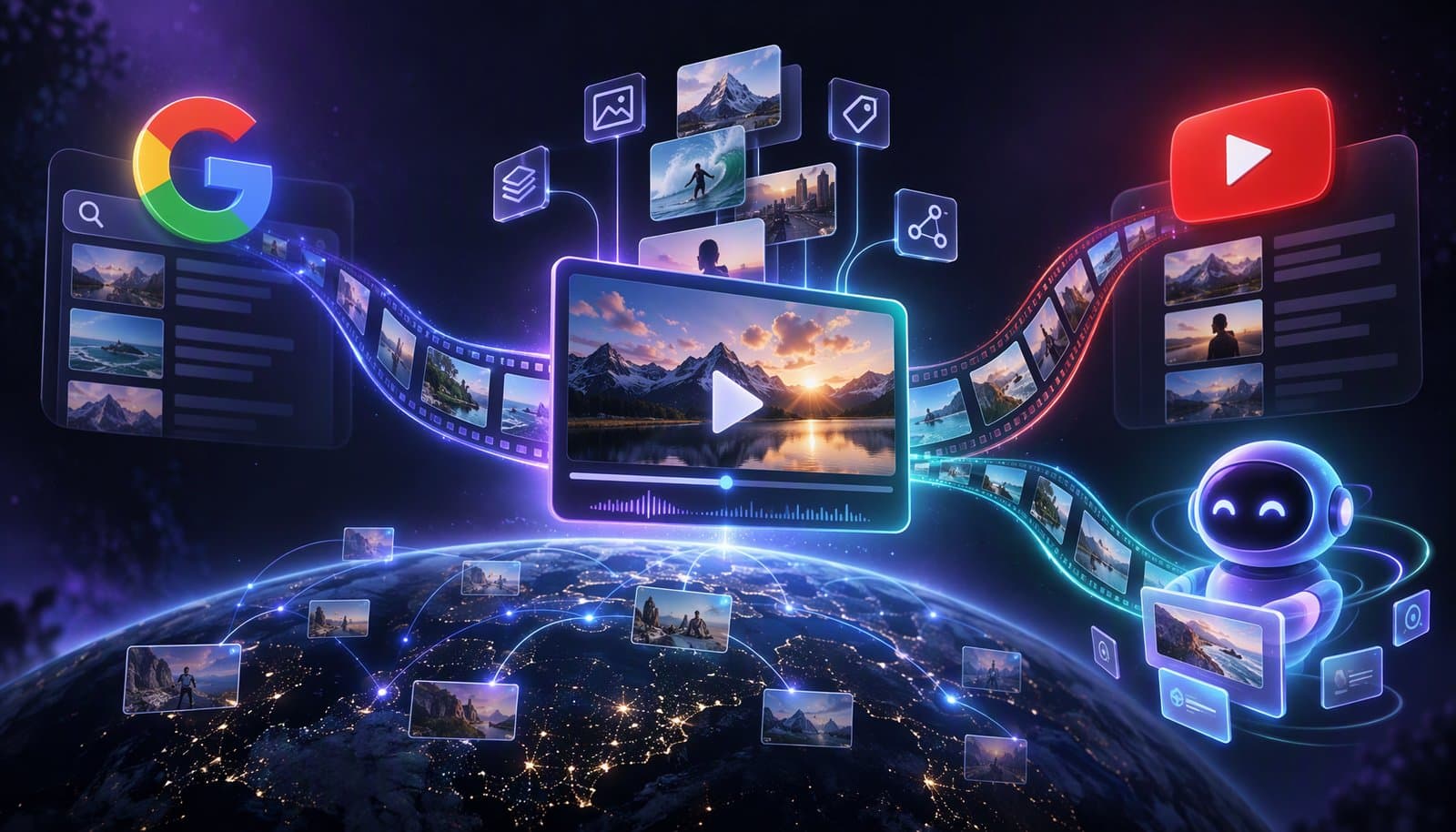
Video SEO means making videos easy for search engines to find, index and show: a dedicated watch page with the video embedded and a valid thumbnail, VideoObject structured data and a video sitemap on your site, plus a strong title, description and chapters on YouTube. Google says no special markup is needed for AI Overviews; SEO fundamentals still apply.
Video SEO changed in 2026: Google retired FAQ rich results, published its own myth-busting guide for AI features and added AI reporting to Search Console. This guide separates what Google and YouTube document from what is folklore, and ends with a ten-step checklist. For the definition, see video SEO in our glossary. For the captions and transcripts side, see the video transcription glossary entry, How to Add Auto Captions to Any Video, SRT vs VTT and Are Auto Captions ADA and WCAG Compliant?.
Facts checked October 9, 2026 against Google Search Central, Search Console Help, YouTube Help, Bing Webmaster resources, web.dev and the studies named in the text. Google changes video features often; the pages cited show their own update dates where they have one. Full disclosure: Loopdesk is our product and produces captions, transcripts and clips; the guidance here applies to any editor or CMS.
What is video SEO?
Video SEO is the work of making videos discoverable in search engines and platforms: on Google Search (video results, the Videos tab, key moments), on YouTube search and suggestions, and in AI answers that cite videos. It combines technical eligibility (indexing, structured data, sitemaps) with relevance and engagement signals (titles, descriptions, chapters, captions, watch behavior).
Two systems matter and they overlap: your own site, where Google indexes a watch page, and YouTube, which has its own search. Google may index the same video in both places, so you can appear twice.
How does Google decide whether to index a video?
Google indexes videos that sit on a watch page: a page where the video is the main content, embedded and visible, with a valid thumbnail at a stable URL. Google says an indexed page doesn't guarantee an indexed video, it indexes only one video per page, and click-to-play placeholders can cause "Cannot determine video position and size" errors.
- Indexed page is not indexed video. Google: "Just because the watch page is indexed doesn't mean that the video will also be indexed."
- A blog post with a video isn't a watch page, but "a non-watch page can still be eligible to appear as a text result and Google Image result with a video badge."
- Formats and thumbnails. Google lists 21 video file types (including MP4, WebM and M3U8) and thumbnails as BMP, GIF, JPEG, PNG, WebP, SVG or AVIF, at least 60x30 pixels.
- Both pages can rank. "Google may index the video both on your web page and on the third-party platform's equivalent page."
- Load it without a click. The Video indexing report says the player should load "at its actual size and position when the page is loaded, without requiring any user interaction", and "Google indexes only one video per page."
What structured data do videos need?
Google's VideoObject structured data requires name, thumbnailUrl and uploadDate. Recommended properties include contentUrl, description, duration, embedUrl, creator or author and interactionStatistic. contentUrl is "the most effective way for Google to fetch your video content files". Google added creator and author support on September 24, 2026.
| Property | Status | Why it matters |
|---|---|---|
name | Required | The video's title |
thumbnailUrl | Required | A crawlable thumbnail at a stable URL |
uploadDate | Required | ISO 8601 date |
contentUrl | Recommended | Direct file URL; the most effective way for Google to fetch the video |
embedUrl | Recommended | The player URL |
description, duration | Recommended | Context and length (ISO 8601 duration) |
creator / author | Recommended | Added September 24, 2026 |
interactionStatistic | Recommended | Watch, like, comment and share counts |
hasPart (Clip) | Recommended | Key moments |
{
  "@context": "https://schema.org",
  "@type": "VideoObject",
  "name": "How to Edit a Video Podcast in 8 Steps",
  "description": "A step-by-step workflow: sync, rough cut, multicam, loudness, captions, chapters, export and clips.",
  "thumbnailUrl": "https://example.com/thumbs/edit-video-podcast.jpg",
  "uploadDate": "2026-10-29T08:00:00+00:00",
  "duration": "PT12M30S",
  "contentUrl": "https://example.com/video/edit-video-podcast.mp4",
  "embedUrl": "https://example.com/embed/edit-video-podcast",
  "creator": {
    "@type": "Person",
    "name": "Adaeze Okonkwo",
    "url": "https://loopdesk.ai/authors/adaeze-okonkwo"
  },
  "hasPart": [
    {
      "@type": "Clip",
      "name": "Sync cameras and microphones",
      "startOffset": 95,
      "endOffset": 240,
      "url": "https://example.com/watch/edit-video-podcast?t=95"
    },
    {
      "@type": "Clip",
      "name": "Rough cut with AI",
      "startOffset": 240,
      "endOffset": 420,
      "url": "https://example.com/watch/edit-video-podcast?t=240"
    }
  ]
}
Clip markup requires name, startOffset and url (endOffset is recommended); the related SeekToAction markup needs potentialAction, startOffset-input and target. Both need a video of 30 seconds or more and deep links. Google says "We will prioritize key moments set by you, either through structured data or the YouTube description." We found no deprecation of Clip or SeekToAction in Google's documentation changelog entries for 2025 through October 2026.
Do you need a video sitemap?
Google recommends video sitemaps, though it also supports mRSS feeds. Each entry needs a thumbnail_loc, title, description (up to 2,048 characters) and either content_loc or player_loc. A sitemap helps discovery of videos Google might miss; it doesn't guarantee indexing. List only watch pages you want indexed.
<?xml version="1.0" encoding="UTF-8"?>
<urlset xmlns="http://www.sitemaps.org/schemas/sitemap/0.9"
        xmlns:video="http://www.google.com/schemas/sitemap-video/1.1">
  <url>
    <loc>https://example.com/watch/edit-video-podcast</loc>
    <video:video>
      <video:thumbnail_loc>https://example.com/thumbs/edit-video-podcast.jpg</video:thumbnail_loc>
      <video:title>How to Edit a Video Podcast in 8 Steps</video:title>
      <video:description>A step-by-step workflow: sync, rough cut, multicam, loudness, captions, chapters, export and clips.</video:description>
      <video:content_loc>https://example.com/video/edit-video-podcast.mp4</video:content_loc>
      <video:player_loc>https://example.com/embed/edit-video-podcast</video:player_loc>
      <video:duration>750</video:duration>
      <video:publication_date>2026-10-29T08:00:00+00:00</video:publication_date>
    </video:video>
  </url>
</urlset>
How do you optimize videos on YouTube?
YouTube says search results are shaped by relevance, engagement and quality, including "how well the title, tags, description, and video content match your search query." Write a specific title and description, add chapters, upload captions, and don't lean on tags, which YouTube says "play a minimal role" in discovery.
- Chapters. The first timestamp must be 00:00, you need at least three in ascending order, and each chapter must be at least 10 seconds long. Google can use description timestamps as key moments.
- Descriptions. YouTube's help pages say descriptions help search; put the answer to the video's main question in the first lines.
- Captions. YouTube generates automatic captions in dozens of languages (its help page lists 67); review them and upload corrected files. See SRT vs VTT.
- Retention. Engagement is part of the picture, so the first seconds matter; see Audience Retention and the Retention Cliff and Best AI Video Editor for YouTube.
- Measure it. Search Console is rolling out "platform properties" for YouTube, TikTok, Instagram and X accounts.
Do transcripts help video SEO?
Google doesn't document transcripts as a ranking or eligibility factor for video: its Video SEO and VideoObject pages never mention them, and we found no YouTube statement that captions feed search. They still help: they make video accessible (WCAG calls a full text alternative a Level AAA "media alternative") and give you quotable on-page text.
Treat the transcript as accessibility and content value first, and as a possible SEO benefit second. We found no Google guidance on whether a very long on-page transcript changes how Google treats a watch page, so keep the video prominent and the transcript below it. For the accessibility side, see Are Auto Captions ADA and WCAG Compliant?.
How do you get videos cited in AI Overviews and AI answers?
Google says "specific optimization isn't required" for AI Overviews and AI Mode, and that "all existing SEO fundamentals continue to be worthwhile." Its generative-AI guide adds that no special schema or structured data is required. The data does show YouTube is a heavily cited source, so a well-optimized YouTube presence is a sensible move.
Google's guide says: "Structured data isn't required for generative AI search, and there's no special schema.org markup you need to add," while recommending you keep using it as part of normal SEO.
The citation data comes from secondary studies with different denominators, so read it as directional:
- Ahrefs (page updated September 2, 2026; US queries): in AI Overviews, YouTube is the top source with 22.9% of citations among the 50 most-cited sites; in AI Mode, Reddit has 17.9% and YouTube 17.8%.
- OtterlyAI (March 2, 2026; more than 100 million citations over 30 days across six platforms): social and video made up 5.54% of citations, and YouTube was 31.8% of that.
- Pew Research Center (July 22, 2025; 900 US adults, March 2025 browsing, so older than a year): Wikipedia, YouTube and Reddit together made up 15% of the sources in Google's AI summaries.
Measurement is easier than it was. Search Console added a Generative AI performance report (AI Overviews and AI Mode impressions) and a "Search generative AI control" on August 31, 2026. Bing Webmaster Tools has had an AI Performance report in public preview since February 10, 2026, showing how your content appears across Copilot, AI summaries in Bing and partner integrations.
What is proven and what is speculative?
Documented by Google or YouTube: a watch page with an embedded video and valid thumbnail, a video sitemap, VideoObject data, Clip markup or YouTube timestamps for key moments, and YouTube metadata and chapters. Not supported by Google's documentation: transcripts as a ranking factor, llms.txt, FAQ schema for rich results and special "AI chunking". Directional: YouTube's share of AI citations.
| Practice | Evidence | Verdict |
|---|---|---|
| Watch page, embedded video, thumbnail | Google, "Video SEO best practices" (updated December 18, 2025) | Eligibility requirement |
| Video sitemap | Google, "Video sitemaps and alternatives" (updated May 20, 2026): recommended | Recommended for discovery |
| VideoObject structured data | Google structured-data docs (updated September 24, 2026) | Supported |
| Clip, SeekToAction or YouTube timestamps | Google: "We will prioritize key moments set by you" | Supported for key moments (videos of 30 seconds or more) |
| YouTube chapters, captions, descriptions | YouTube Help; tags play "a minimal role" | Documented for YouTube discovery |
| Transcripts as a ranking factor | No Google or YouTube statement found | Unproven; valuable for accessibility |
llms.txt | Google changelog, June 15, 2026: such files "won't negatively or positively impact your visibility or rankings" | No effect on Google Search; harmless for other systems |
| FAQ schema for rich results | Google: the FAQ rich result "is no longer shown in Google Search results" (announced May 2026) | Don't expect SERP accordions |
| Special schema or "chunking" for AI | Google's generative-AI guide (updated July 10, 2026) | Not needed |
| YouTube presence leads to AI citations | Ahrefs, OtterlyAI, Pew (secondary) | Directional only |
| IndexNow | IndexNow.org lists Bing, Naver, Seznam.cz, Yandex and Yep; Google is not listed | Helps non-Google engines |
The Indexing API isn't a video shortcut either: Google documents it for job-posting and livestream-video pages only.
How should you embed video without hurting performance?
Load the main video on the watch page without requiring a click, don't lazy-load a video that is the largest contentful paint element, and keep one primary video per page. web.dev advises that videos which are LCP elements shouldn't use loading="lazy", and Google says its crawler doesn't interact with your page.
web.dev's guidance says "Videos that are LCP elements shouldn't use loading="lazy"", and Google's lazy-loading documentation says "Google Search does not interact with your page." Older advice to put a click-to-load facade on every embed is outdated for the main video; Lighthouse 13 (October 2025) dropped its facade audit.
A 10-step video SEO checklist
- Give each video a dedicated watch page with the video embedded and visible without interaction.
- Use a crawlable thumbnail (BMP, GIF, JPEG, PNG, WebP, SVG or AVIF, at least 60x30 pixels) at a stable URL.
- Add VideoObject JSON-LD with
name,thumbnailUrlanduploadDate, pluscontentUrl,embedUrl,description,durationandcreator. - Add Clip markup (or YouTube description timestamps) for key moments on videos of 30 seconds or more.
- Submit a video sitemap that lists only the watch pages you want indexed, then check Search Console's Video indexing report.
- On YouTube, write a specific title and description, add chapters (00:00 first, three or more, 10 seconds minimum) and upload reviewed captions.
- Publish reviewed captions and a transcript, and provide SRT or VTT where the platform supports it.
- Keep one primary video per page, and don't lazy-load it if it is the LCP element.
- Tell search engines when you publish: sitemap and Search Console for Google; IndexNow or Bing Webmaster Tools URL submission for Bing.
- Measure: the Video indexing report, the Generative AI performance report in Search Console and Bing's AI Performance report.
In Loopdesk: Aura produces the assets video SEO runs on: captions in 108 languages that you review and edit, SRT and VTT files, scene detection you can use for chapter and clip boundaries, and vertical clips for Shorts, Reels and TikTok (see How to Optimize Video for Every Platform for each platform's specs). Loopdesk doesn't host video pages or write schema for you; use your CMS or YouTube for that.
Sources
Read on October 9, 2026.
- Google Search Central, "Video SEO best practices" (updated December 18, 2025): https://developers.google.com/search/docs/appearance/video
- Google Search Central, "Video (VideoObject, Clip, BroadcastEvent) structured data" (updated September 24, 2026): https://developers.google.com/search/docs/appearance/structured-data/video
- Google Search Central, "Video sitemaps and alternatives" (updated May 20, 2026): https://developers.google.com/search/docs/crawling-indexing/sitemaps/video-sitemaps
- Search Console Help, "Video indexing report": https://support.google.com/webmasters/answer/9495631
- Google, "AI features and your website" (updated December 10, 2025): https://developers.google.com/search/docs/appearance/ai-features · "Optimizing your website for generative AI features on Google Search" (updated July 10, 2026): https://developers.google.com/search/docs/fundamentals/ai-optimization-guide
- Google Search Central, "Latest Google Search Documentation Updates": https://developers.google.com/search/updates
- Search Console Help: Generative AI performance report https://support.google.com/webmasters/answer/16984139 · Search generative AI control https://support.google.com/webmasters/answer/16908024 · Platform properties https://support.google.com/webmasters/answer/17148418
- Google, Indexing API quickstart: https://developers.google.com/search/apis/indexing-api/v3/quickstart
- YouTube Help: https://support.google.com/youtube/answer/16090438 (how YouTube search works) · https://support.google.com/youtube/answer/12948449 (descriptions) · https://support.google.com/youtube/answer/146402 (tags) · https://support.google.com/youtube/answer/9884579 (chapters) · https://support.google.com/youtube/answer/6373554 (automatic captioning)
- Ahrefs, "The 50 Most-Cited Websites in Google AI Overviews (September 2026)": https://ahrefs.com/blog/most-cited-domains-ai-overviews/ · AI Mode edition: https://ahrefs.com/blog/most-cited-domains-ai-mode/ · OtterlyAI, "The YouTube Citation Study 2026": https://otterly.ai/blog/youtube-ai-citation-study-2026/ · Pew Research Center (July 22, 2025): https://www.pewresearch.org/short-reads/2025/07/22/google-users-are-less-likely-to-click-on-links-when-an-ai-summary-appears-in-the-results/
- IndexNow: https://www.indexnow.org/ · Bing Webmaster Blog, "Introducing AI Performance in Bing Webmaster Tools Public Preview" (February 10, 2026): https://blogs.bing.com/webmaster/2026/2/Introducing-AI-Performance-in-Bing-Webmaster-Tools-Public-Preview/
- web.dev, "Lazy loading video" (updated July 2, 2026): https://web.dev/articles/lazy-loading-video · Google, "Fix lazy-loaded content": https://developers.google.com/search/docs/crawling-indexing/javascript/lazy-loading
- schema.org, "VideoObject": https://schema.org/VideoObject · W3C, WCAG 2.2: https://www.w3.org/TR/WCAG22/
Not verified: whether YouTube uses captions or transcripts for search or recommendations, Google guidance on long on-page transcripts, which URL Google prefers when a video lives on both YouTube and your page, Bing's video guidelines (a JavaScript-only page we couldn't read), and how often key moments appear in 2026.
Frequently Asked Questions
Do transcripts help video SEO?
Google doesn't document transcripts as a ranking or eligibility factor, and we found no YouTube statement that captions feed search. They still make video accessible and give you quotable on-page text. Treat them as accessibility and content value first, and a possible SEO benefit second.
Can I rank a video on Google without uploading to YouTube?
Yes, if the video sits on a watch page on your site that Google can index: embedded, visible without a click, with a valid thumbnail, ideally with VideoObject data and a video sitemap. Google may index the video on both your page and YouTube's equivalent page, so you can appear in both.
Is it better to host videos on YouTube or my own site?
It depends on the goal. YouTube gives you its own search and recommendation audience and is heavily cited in AI answers; your own watch page gives you control, schema and on-site engagement. Google may index both, so many publishers publish on YouTube and embed the video on a dedicated page.
What is video schema markup and which properties are required?
It is VideoObject structured data, usually in JSON-LD. Google requires name, thumbnailUrl and uploadDate; recommended properties include contentUrl, embedUrl, description, duration, creator or author and interactionStatistic. Clip markup adds key moments for videos of 30 seconds or more.
How do I get key moments or chapters in Google results?
Use Clip structured data with name, startOffset and url, or add chapter timestamps to the YouTube description (first at 00:00, at least three, each at least 10 seconds). Google says it prioritizes key moments you set over automatic ones. The video needs to be at least 30 seconds long.
How do I get YouTube videos cited in Google AI Overviews?
Google says no special markup is required. Focus on fundamentals: a specific title and description, chapters, reviewed captions, a clear answer early in the video and description, and an on-site page that states the answer in text. Studies show YouTube is a heavily cited source, but nobody can guarantee citations.
Do FAQ schema and llms.txt still help in Google?
Not for Google Search. Google says the FAQ rich result is no longer shown (announced May 2026), and its June 15, 2026 guidance says llms.txt files won't affect visibility or rankings. An on-page FAQ still helps readers and gives AI systems clear question-and-answer pairs, and an llms.txt file is harmless for other services.
Need the assets video SEO runs on? Open Loopdesk to caption in 108 languages, export SRT and VTT, and cut vertical clips from one recording. Plans start at $19/month ($15 billed annually).