
What Is a Jump Cut? Examples and When to Use One (2026)
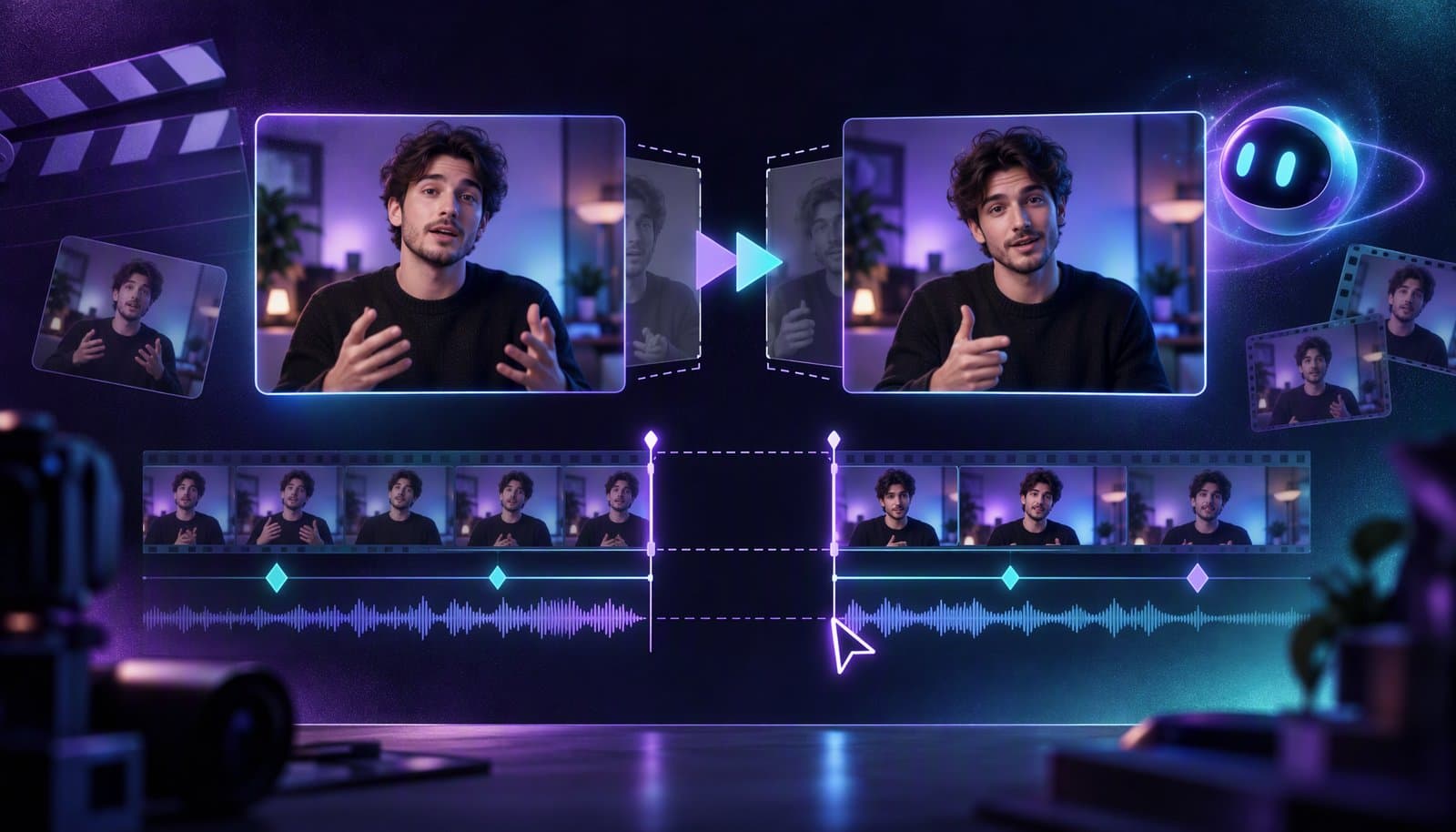
A jump cut is an edit between two shots of the same subject from the same, or almost the same, camera position, so time skips forward and the subject seems to jump on screen. Most cuts try to go unnoticed; a jump cut shows itself. YouTubers use jump cuts to remove pauses and keep pace, and filmmakers use them to signal impatience, unease or passing time.
You've seen thousands of them: a creator finishes a sentence, the frame twitches, and the next sentence starts with their head a little to the left. This guide covers what a jump cut is, where it came from, how it differs from other cuts, and how to make one look deliberate. For the one-line version, see the jump cut glossary entry.
Facts checked October 20, 2026 against Richard Raskin's essay on the jump cuts in Breathless, Yale's Film Analysis guide, Blackmagic Design's DaVinci Resolve 21 Reference Manual and Adobe's Premiere help (links under Sources). Film-history origin stories vary, so we only state what those sources support.
What is a jump cut?
A jump cut is a cut that removes a stretch of time while the camera's view of the subject stays about the same. Because the background doesn't change but the subject does, your eye reads the edit as a sudden jump in position rather than a new point of view.
There are two common ways to get one:
- Cutting time out of a single shot. You record one continuous take and delete part of it: a pause, a stumble, a dull stretch. The two remaining pieces butt together and the subject skips.
- Joining two separate shots that are framed too similarly. Two takes from nearly the same camera position, cut together, produce the same jolt.
Classical continuity editing works hard to avoid this. Yale's Film Analysis guide defines continuity editing as "a system of cutting to maintain continuous and clear narrative action." A jump cut breaks that system, on purpose or by accident, so the same edit can look stylish or sloppy.
What are some examples of jump cuts?
Once you know what to look for, you'll find jump cuts in almost every genre:
- The talking-head YouTube video. The creator speaks to one locked-off camera, and the editor removes every pause and false start. Each removal is a small jump.
- The waiting montage. A fixed shot of someone on a bench: sitting, then lying down, then checking a phone, then gone. The jumps compress an hour into ten seconds.
- The horror approach. A figure at the end of a hallway is closer in each cut without ever visibly moving.
- Breathless (1960). In Jean-Luc Godard's film, scenes repeatedly skip forward inside what looks like one continuous shot, including long stretches in a car. Film scholars keep returning to it as the classic case (see Raskin's essay under Sources).
Where did the jump cut come from?
Tricks that join two shots with the same framing are as old as cinema. The jump cut as a visible, deliberate style is most closely tied to the French New Wave, and to Breathless in particular.
Méliès and the stop trick. Georges Méliès wrote that his camera jammed while he was filming at the Place de l'Opéra in Paris, and that when he projected the film, a bus seemed to turn into a hearse. Historians treat that story with caution and note that a similar substitution trick appears in the Edison company's 1895 film The Execution of Mary Stuart. Either way, Méliès's substitution splice is a cousin of the jump cut, not the same thing: he hid his cuts so that objects seemed to vanish or transform by magic, while a jump cut lets you see the seam.
Godard and Breathless (1960). Godard cut Breathless with editor Cécile Decugis. In "Five explanations for the jump cuts in Godard's Breathless," film scholar Richard Raskin collects the competing theories, from sabotage to a new aesthetic. Godard's own account was practical: his first version ran roughly two and a quarter to two and a half hours, his contract called for under an hour and a half, and rather than drop whole scenes he shortened them from within. Raskin takes that account seriously but notes that it "tells us nothing about the way in which the jump cuts work within the film."
Yale's guide links expressive jump cuts with the 1960s French New Wave and with Lars von Trier's Dogme films, calling them "a clear signifier of rupture with mainstream film storytelling." That's the key to using them today: a jump cut announces that someone edited this, so use one when that announcement helps the video.
Jump cut vs match cut vs smash cut vs J-cut and L-cut
These get mixed up because they're all "types of cut," but each one changes something different.
| Cut | What changes at the cut | What the viewer feels | Typical use |
|---|---|---|---|
| Jump cut | Time skips; framing stays nearly the same | A visible jolt: "time passed" or "this was edited" | Vlogs, talking heads, montages, unease |
| Match cut | The shot changes, but a shape, motion or composition carries over | A link between two places or ideas | Scene transitions, thematic links |
| Smash cut | An abrupt change to a very different shot or sound, often mid-moment | Surprise, contrast, a punchline | Comedy, shock, waking from a dream |
| J-cut | The next shot's audio starts before its picture | Anticipation; the sound pulls you forward | Scene entrances, interview answers |
| L-cut | The current shot's audio continues after the picture changes | Continuity; a line lands on a reaction | Reaction shots, narration over B-roll |
| Cutaway | Cut to another subject, then back | The time gap is hidden | Covering jump cuts with B-roll |
The important distinction: a jump cut is a picture effect, while J-cuts and L-cuts are about audio timing. A split edit can carry the sound smoothly across a cut, but on its own it won't hide a visible jump. Our J-cut and L-cut guide covers split edits in detail.
Why do YouTube talking-head videos use jump cuts?
A talking-head video is usually one camera, one long take and a lot of dead air. Jump cuts solve several problems at once:
- Pace. Removing pauses, "ums" and restarts tightens the recording, so the video plays like a conversation at full speed.
- No coverage needed. Film scenes are shot from several angles so editors can hide their cuts. A solo creator has one angle, so the cut has nowhere to hide. Jump cuts accept that.
- Honesty about the edit. Viewers know the video was edited. A visible cut can feel more candid than a seamless morph that pretends nothing was removed.
The trade-off is fatigue. A jump every two seconds with no change in framing reads as nervous, not energetic. The techniques below keep the pace without the twitch.
How do you make a jump cut look intentional?
A jump cut looks like a mistake when the change is small: the head shifts a few pixels and the shoulders twitch. It looks deliberate when the change is clear. Four techniques do most of the work.
Punch in or out at the cut
Change the scale at the cut, for example by alternating between a medium shot and a tighter crop of the same footage. If you record in 4K and deliver in 1080p, you can crop in without upscaling. A noticeable scale change reads as a new shot, so the jump becomes a rhythm instead of a glitch.
Respect the 30-degree rule, or break it clearly
Continuity editing's 30-degree rule says that when you cut between two shots of the same subject, the camera should move at least 30 degrees around the subject, so the cut reads as a new point of view. A jump cut is what you get when you don't. If you're shooting with two cameras, place them far enough apart to satisfy the rule. If you're cutting a single angle, change the framing enough that nobody mistakes the cut for an accident.
Cut on breath and on thought
Cut at the end of a complete thought, not mid-word. Either keep the speaker's inhale at the start of the next phrase or cut just after it, so the rhythm of speech stays natural. Match eyelines across the cut where you can: a cut where the eyes stay on the lens is far less jarring than one where they jump from the lens to the floor.
Keep the sound continuous
The picture can jump; the room shouldn't. If the background tone disappears or changes at every cut, the edit sounds choppy even when it looks fine. Lay room tone under the speech and check every join at normal speed. Our guide to removing silence without choppy cuts covers padding, breaths and room tone.
When should you avoid a jump cut?
Avoid jump cuts when the visible seam works against the content:
- Continuity scenes. In narrative work where the audience should stay inside the story, an unmotivated jump breaks the spell.
- Interviews where meaning matters. A jump cut inside a quote tells the viewer something was removed. That's honest, but don't use any cut, visible or seamless, to change what someone meant.
- Emotional beats. The pause before a hard answer is often the most important part of the take. Don't cut it just to keep pace.
- Step-by-step tutorials. If the jump hides a step the viewer needs, it costs you trust. Show the step or say what you skipped.
- Shots with big movement. If hands, props or the background move a lot between the two frames, a cutaway is less distracting.
In the video editing process, these are fine-cut decisions: the rough cut removes material, and the fine cut decides how each join should look.
How does AI silence removal create jump cuts?
Automated silence removal finds the quiet gaps in a recording and deletes them. On a single continuous shot, every deletion is by definition a jump cut, so a ten-minute recording with dozens of pauses comes back with dozens of jump cuts. Filler-word removal adds more.
That's fine if you plan for it. Ways to smooth the result:
- Alternate punch-ins so consecutive segments sit at different scales.
- Cover the joins with B-roll, screen recordings or graphics, which turns the jump into a cutaway.
- Keep some pauses. Shorten long gaps instead of deleting all of them, and keep the breaths that carry meaning.
- Use a morph transition sparingly. DaVinci Resolve's Smooth Cut transition uses AI-powered Speed Warp processing to morph the subject across a short jump. Blackmagic's manual says it works best on sit-down interviews and close-ups with little background or subject motion, and that 2- to 6-frame transitions often work best. Adobe's help documents Morph Cut in Premiere for smoothing jump cuts. Both struggle when the subject moves a lot, so check the result frame by frame.
In Loopdesk (our product), you can ask Aura to remove silences and filler words from a talking-head recording, and Suggest Edits gives you an edit plan to review and apply. Still watch every join at normal speed: software can find the pauses, but you decide which ones carry meaning and where a punch-in or B-roll would help.
Sources
Read on October 20, 2026.
- Richard Raskin, "Five explanations for the jump cuts in Godard's Breathless," P.O.V. No. 6: https://pov.imv.au.dk/Issue_06/section_1/artc10.html
- Yale University, Film Analysis, "Editing": https://filmanalysis.yale.edu/editing/
- Wikipedia, "Substitution splice" (Méliès's account and the 1895 Edison film): https://en.wikipedia.org/wiki/Substitution_splice
- Wikipedia, "Jump cut" (the Decugis credit and the 30-degree rule): https://en.wikipedia.org/wiki/Jump_cut
- Blackmagic Design, DaVinci Resolve 21 Reference Manual (Smooth Cut transition): https://documents.blackmagicdesign.com/UserManuals/DaVinci_Resolve_21_Reference_Manual.pdf
- Adobe Help, "Apply Morph Cut to smooth jump cuts in Premiere": https://helpx.adobe.com/premiere/desktop/add-video-effects/apply-video-transitions/apply-morph-cut-to-smoothen-jump-cuts.html (we could not load the full page on October 20, so we rely only on its title)
Frequently Asked Questions
What is a jump cut in simple terms?
A jump cut is a cut between two moments of the same shot, or two very similar shots, so time skips and the subject seems to jump on screen. It's common in YouTube videos, where editors remove the pauses from one continuous take.
Why is it called a jump cut?
Because the subject appears to jump. The background and framing stay nearly the same while the person's position changes, so your eye reads the cut as a sudden leap instead of a new camera angle.
What is the difference between a jump cut and a match cut?
A jump cut keeps the framing and skips time, so the edit is visible. A match cut changes the shot but carries a shape, motion or composition across the cut, linking two places or ideas. One shows the seam; the other bridges it.
Who invented the jump cut?
No single person. Georges Méliès hid substitution splices in the 1890s to create magic tricks, but the visible jump cut as a style is most associated with Jean-Luc Godard's Breathless (1960) and the French New Wave.
Are jump cuts bad?
No, they're a tool. Clear, deliberate jump cuts keep talking-head videos moving; tiny accidental ones look like glitches. Change the framing at the cut, cut at the end of a thought and keep the room tone continuous, and they read as intentional.
How do you hide a jump cut?
Cover it with B-roll or a cutaway, punch in so the next segment is framed differently, or use a short morph transition, such as DaVinci Resolve's Smooth Cut or Premiere's Morph Cut, on footage with little movement. A J-cut or L-cut smooths the audio but won't hide the jump in the picture.
Cutting the pauses out of a talking-head video? Try Loopdesk - ask Aura to remove silences and filler words, then review every join before you export.