
How Coaches Turn One Call Into a Week of Video Content (2026)
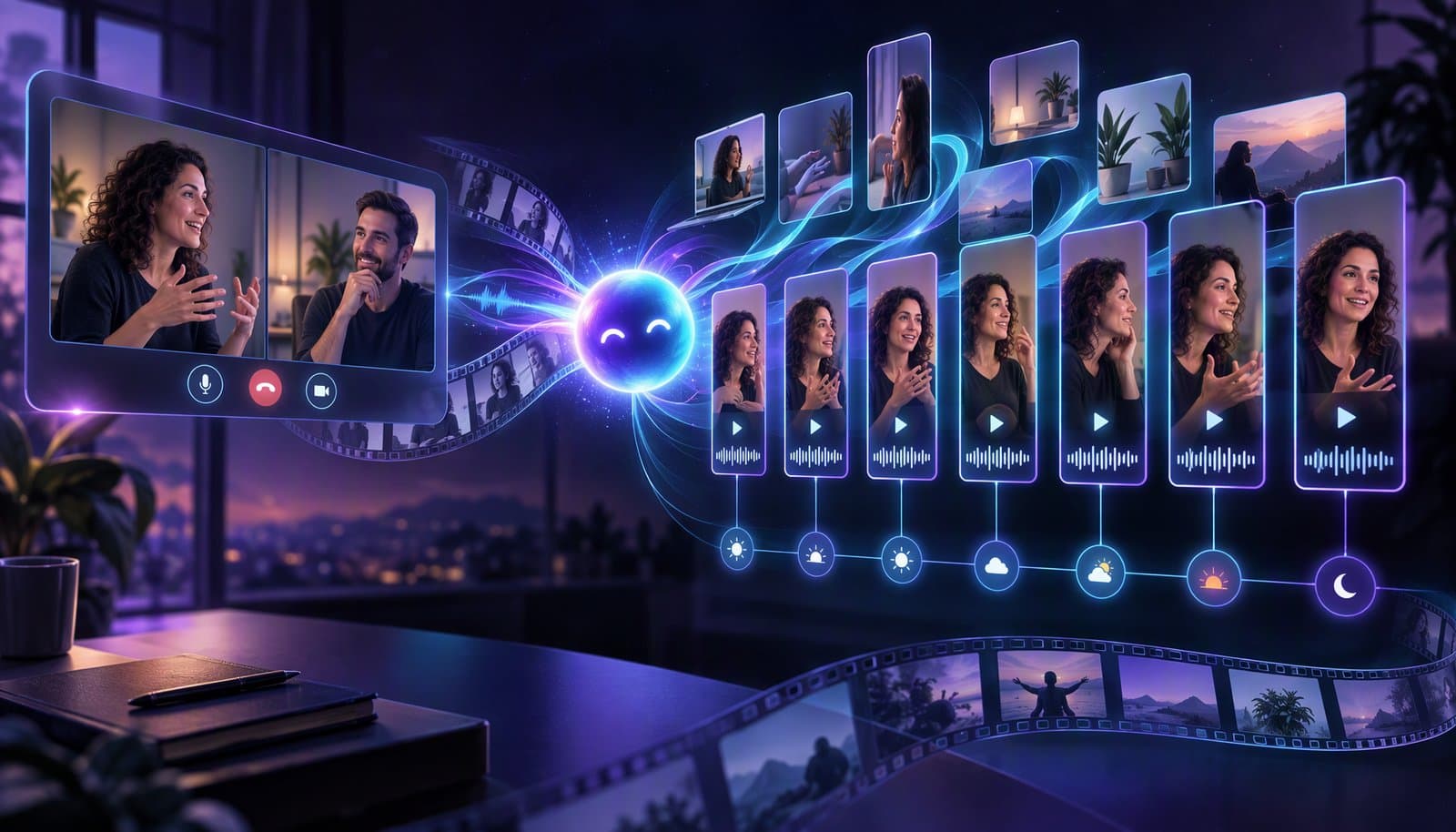
Record one anchor session a week, then turn it into a week of content: cut 5-7 standalone clips (a framework, a contrarian take, a case study, a client question), caption and brand them, schedule one a day with a single call to action, and track leads rather than views. An AI editor does the cutting and captioning; you review.
If you're a coach or consultant, you don't have a content problem; you have a time problem. You already produce hours of valuable video every week in calls, workshops and client sessions, and most of it is never reused. This guide shows a one-call-a-week system built on the Loopdesk Creator Study and the platform rules as of October 2026. It applies content repurposing to coaching, extending our general long-form repurposing workflow and webinar-to-clips guide with what coaches need: frameworks, case studies, consent, claims rules and lead tracking.
Facts checked October 9, 2026 against the Loopdesk Creator Study, YouTube Help, the Instagram Help Center, LinkedIn Help, the FTC and Buffer. Full disclosure: Loopdesk is our product; the system works with any editor. Not legal advice.
Why do coaches need a content system instead of more content?
Because volume without a system doesn't hold up. In the Loopdesk Creator Study of 250 creator channels, average engagement was 1.45%, creators posting 1-3 times a week with under 500 videos sustained 6-8%, and channels posting 3-5 videos a day fell to 0.01-0.20%. The pattern favors a steady weekly rhythm over daily scrambling.
| Creator archetype (Creator Study 2026) | Upload pace | Engagement rate |
|---|---|---|
| 15,000+ videos | 3-5 uploads a day | 0.01%-0.20% |
| 500-2,000 videos | 3-5 uploads a week | 0.80%-2.00% |
| Under 500 videos | 1-3 uploads a week | 6.00%-8.00% |
Engagement rate here is ((likes + comments) / total views) × 100, and the relationship is a correlation, not proof of cause. The common coach pains (inconsistent posting, editing bottlenecks, idea fatigue) come from treating every post as a new project. No platform publishes a recommended posting frequency; Buffer's analyses (2025, vendor data, correlation only) suggest roughly 3-5 Instagram posts and 2-5 LinkedIn posts a week.
What is an anchor video?
An anchor video is the one long recording you make each week that everything else comes from: a live Q&A, a workshop, a group coaching call, a client session (with consent) or a talk to camera. Aim for 30-60 minutes of real content on one topic, recorded in a quality you can reuse.
- Say the framework's name out loud. It lands in the captions and becomes the first line of the clip.
- Answer questions in full sentences. "Yes, because..." clips well; "Right, exactly" doesn't.
- Record audio cleanly. Better audio gives better captions; see Noise Reduction vs Voice Enhancement.
If your anchor call is a recorded interview or a two-camera conversation, How to Edit a Video Podcast covers sync, loudness and export specs.
Which moments should coaches clip?
Clip standalone moments that make sense to someone who wasn't on the call: a named framework, a contrarian take, a client question with your answer, a case study with a result, a before-and-after, a myth you bust. Each needs a hook in the first sentence, one idea and a payoff.
In the Creator Study, clips edited as standalone stories (hook, arc, payoff) outperformed mechanically cut segments by 2-4x in engagement. The examples below are illustrative templates, not real clients.
| Moment type | What it sounds like (template) | Good fit | Call to action |
|---|---|---|---|
| Named framework | "The [name]: three steps to [result]. Step one..." | LinkedIn, Shorts | Comment a keyword for the worksheet |
| Contrarian take | "Most [niche] advice says [common advice]. Here's why that backfires." | LinkedIn, Reels | Reply with your situation |
| Client question answered | "A client asked: '[question]'. Here's the answer." | Reels, LinkedIn | Link to book a call |
| Case study (with permission) | "[Client] went from [before] to [after] by [action]." | LinkedIn video | Newsletter sign-up |
| Myth-bust | "You don't need [common belief]. You need [reframe]." | Shorts, Reels | Follow for part two |
What does a 7-day content map look like?
Spread one anchor session across the week: a framework clip on LinkedIn, a contrarian take on Reels, a client question on Shorts, a case study as a LinkedIn video, a newsletter excerpt from the transcript, a myth-bust on TikTok or Reels, and the full replay on YouTube. Each asset carries one call to action.
| Day | Platform | Asset | Length (starting point) | One call to action |
|---|---|---|---|---|
| Mon | Framework clip | 30-60 seconds | Comment a keyword for the worksheet | |
| Tue | Instagram Reels | Contrarian take | 20-45 seconds | Reply with your situation |
| Wed | YouTube Shorts | Client question answered | 30-60 seconds | Booking link in the description or a pinned comment |
| Thu | Case study clip (written permission) | 45-90 seconds | Newsletter sign-up | |
| Fri | Newsletter | Transcript excerpt (your best 200 words) | n/a | Reply to the email |
| Sat | Reels or TikTok | Myth-bust | 15-30 seconds | Follow for part two |
| Sun | YouTube | Full replay or a 10-minute cut | 10-60 minutes | Subscribe and a free-call link |
Lengths are editorial starting points, not platform rules. The limits to know (checked October 9, 2026): YouTube Shorts up to 3 minutes; Instagram Reels can be recorded and edited up to 20 minutes, and Reels over 3 minutes won't be recommended to new audiences; LinkedIn native video up to 15 minutes and 5 GB.
How do you turn one call into clips with AI, step by step?
Upload the full recording, ask the AI for 5-7 standalone moments of the types above, review and trim each to the point it lands, reframe to 9:16, add captions in your saved style, apply your brand template and export one file per platform. In the Creator Study, agentic workflows took 1-2 hours per batch versus 8-12 hours manually.
- Upload the full call. Loopdesk imports from your computer, Google Drive or Dropbox; there's no need to split it.
- Brief Aura. For example: "Find five standalone moments of 30-60 seconds from this call: one framework, one contrarian take, one client question with my answer, one story with a result and one myth. Put the hook in the first sentence."
- Review each moment. Does the first sentence work without the question before it? Is there exactly one idea? Does it avoid "as I said earlier"?
- Reframe and caption. Reframe to 9:16 with you centered, then fix names and terms in the captions. See How to Add Auto Captions to Any Video.
- Apply your brand template. Save the caption style, logo position and end card once; reuse them every week.
- Export and schedule. One file per platform, using one-click distribution and content scheduling.
A suggested weekly budget (ours, not a benchmark): 10 minutes to upload and brief, 30-45 minutes to review, 15 minutes to check captions, 10 minutes to schedule. For the same system applied to webinars, see How to Turn a Webinar Into 10 Short Clips With AI.
How do you turn old recordings into new content?
Search your library instead of rewatching it. In the Creator Study, a 1,000-video back catalog holds roughly 1,500 hours of footage and about 5,000 untapped short-form clips, around 1.2 years of full-time manual review. Loopdesk's semantic video search lets you describe a moment in plain language and jump to it.
In Loopdesk: every upload is analysed, tagged and indexed automatically, so you can search for "the moment a client pushed back on pricing" instead of scrubbing. Search works in any language, and AI-suggested tag chips narrow the results. Before you republish old material, check it for outdated prices or claims, music you don't have rights to, and guests whose permission you haven't confirmed. See We Interviewed 250 Podcasters for the "dead archive" findings and batch editing for applying one style across many files.
How do you write the post copy for each clip?
Use the clip's transcript. The first spoken sentence becomes the hook line, the framework's name goes in the first line, and one sentence says who the clip is for. End with a single call to action, such as a keyword to comment, a link to book, or a newsletter sign-up. Keep your own phrasing.
[Hook: the first sentence of the clip]
[Who it's for: one line]
[The framework's name and one takeaway]
[One call to action]
Loopdesk gives you the transcript and captions; use any writing tool you trust to draft the post, then edit it into your voice.
What do coaches need to know before posting client footage and testimonials?
Get written permission before you post client footage, and don't present unusual results as typical. The FTC's rule on testimonials (16 CFR Part 465, effective October 21, 2024) bans fake testimonials, and its Endorsement Guides say that if results aren't typical you should disclose the generally expected performance clearly. This is general information, not legal advice.
- Fake testimonials are banned. The rule also requires "clear and conspicuous disclosure of the testimonialist's material relationship" for insider testimonials.
- Results claims. Without substantiation that results are typical, an ad "should clearly and conspicuously disclose the generally expected performance" (16 CFR 255.2(b)). The FTC says statements like "results not typical" or "individual results may vary" won't change the impression that the results are typical.
- Material connections. Affiliate links, sponsors and free products must be disclosed clearly and conspicuously. For video, the FTC says "the disclosure has the best chance of being clear and conspicuous if it's included in the video itself."
- Earnings claims. In January 2025 the FTC proposed expanding its Business Opportunity Rule to money-making opportunities such as business coaching, plus a new Earnings Claim Rule. We found neither in the eCFR on October 7, 2026, so treat them as proposals. Deceptive earnings claims are already illegal.
- Consent and privacy. Get written, specific consent for each use (which clip, which platform, how long), remove names, emails and chat panels, and ask a lawyer about recording and consent laws where you and your clients live. YouTube lets people ask for removal of content that uses their name, photo or other private details without consent.
- Regulated fields. Finance, health and fitness coaching can carry extra rules. Ask a professional.
How do you measure what's working?
Measure leads, not views. Give every clip its own link (UTM parameters) or a unique comment keyword, and record booked calls, newsletter sign-ups and replies per clip type. Use retention only to judge the hook: if viewers leave in the first seconds, change the opening line, not the topic.
| Clip | Moment type | Platform | Views | Viewers still watching at 3 s | Clicks to booking page | Calls booked | Newsletter sign-ups |
|---|---|---|---|---|---|---|---|
After four weeks, compare by moment type to decide what to cut next. See Audience Retention and the Retention Cliff and cross-platform analytics, and run each clip through the Reels pre-publish checklist.
Which tools do coaches use for clipping and summarization?
It depends on how much editing you need after a clip is found. One-click clippers such as Opus Clip are fastest for single-speaker videos; Descript suits transcript-first editing; full AI editors such as Loopdesk add reframing, captions, brand templates, batching and scheduling in one place. Compare them in our AI clipping tools guide.
See Best AI Clipping Tools in 2026, Loopdesk vs Opus Clip, Loopdesk vs Descript and Best AI Video Editing Agents in 2026. Loopdesk has no free plan; Creator Lite is $19 a month ($15 billed annually). For a written summary or newsletter, the transcript is the raw material. To compare the cost of outsourcing instead, see How Much Does a Video Editor Cost?.
What are the most common mistakes?
The most common mistakes are clipping moments that need the surrounding call to make sense, posting every clip everywhere on the same day, giving each clip several calls to action, publishing client details or testimonials without written permission, and measuring views instead of leads.
- Context-dependent clips. If a clip only works after the question, put the question on screen as text.
- One blast. Stagger posts across the week and format each for its platform.
- Five calls to action. One clip, one next step.
- Over-polishing. A clear idea with accurate captions beats heavy effects.
- Skipping the caption check. Names, brands and numbers are where auto captions fail.
Sources
Read and verified on October 9, 2026.
- Loopdesk Creator Study 2026 (CC BY 4.0): https://loopdesk.ai/research · companion write-up: https://loopdesk.ai/blog/we-spoke-to-250-podcasters-since-our-launch
- YouTube Help, Shorts: https://support.google.com/youtube/answer/15424877 · Instagram Help Center: https://help.instagram.com/2720958398006062 and https://help.instagram.com/1038071743007909 · LinkedIn Help: https://www.linkedin.com/help/linkedin/answer/a7174587 · LinkedIn, caption files: https://www.linkedin.com/help/linkedin/answer/a552177
- FTC, Trade Regulation Rule on the Use of Consumer Reviews and Testimonials, 16 CFR Part 465: https://www.ecfr.gov/current/title-16/chapter-I/subchapter-D/part-465 · Federal Register (August 22, 2024): https://www.federalregister.gov/documents/2024/08/22/2024-18519/trade-regulation-rule-on-the-use-of-consumer-reviews-and-testimonials · Rule Q&A: https://www.ftc.gov/business-guidance/resources/consumer-reviews-testimonials-rule-questions-answers
- FTC Endorsement Guides, 16 CFR Part 255: https://www.ecfr.gov/current/title-16/chapter-I/subchapter-B/part-255 · FTC, "Endorsements, Influencers, and Reviews": https://www.ftc.gov/business-guidance/advertising-marketing/endorsements-influencers-reviews · FTC, "FTC's Endorsement Guides: What People Are Asking": https://www.ftc.gov/business-guidance/resources/ftcs-endorsement-guides-what-people-are-asking
- FTC, proposed rule changes on earnings claims (January 2025): https://www.ftc.gov/news-events/news/press-releases/2025/01/ftc-proposes-rule-changes-new-rule-deter-deceptive-earnings-claims-multilevel-marketers-money-making
- YouTube Help, privacy complaint process: https://support.google.com/youtube/answer/7671399
- Buffer, posting frequency: https://buffer.com/resources/how-often-to-post-on-instagram/ · https://buffer.com/resources/how-often-to-post-on-linkedin/
We could not verify TikTok's current upload limit (its help pages were unreachable on October 9), and no platform publishes an official posting cadence. Buffer's figures are vendor data older than 12 months.
Frequently Asked Questions
How can a coach repurpose one idea into a week of content?
Record one anchor session, clip it into five to seven standalone moments (framework, contrarian take, client question, case study, myth), add a transcript excerpt for your newsletter, and schedule one asset a day with one call to action. The 7-day map above shows a sample week.
Can I repurpose group calls, not just 1-on-1s?
Yes, and group calls are often better source material: questions from several people, varied examples and energy. Get consent from participants before using their voice or likeness, and remove names, chat panels and any identifying details from the clips.
What if I can't share client details publicly?
Share the lesson, not the client. Use anonymized or hypothetical examples, rebuild the key point as on-screen text, or re-record a short version yourself. For real results, get written permission and follow the FTC's guidance on testimonials and typical results.
Will repurposed content still sound like me?
Yes, if you clip your own words and keep your phrasing in the captions and post copy. The AI finds and formats moments; you choose which ones represent you and edit the wording. Save a caption style and brand template so every clip looks like you, too.
Does repurposing mean posting the same thing repeatedly?
No. Each clip should be a different standalone idea from the session, formatted for its platform. The same idea can reappear in another form later (a clip, a newsletter excerpt, a replay), but avoid posting identical files everywhere on the same day.
Is repurposing worth it for solo coaches?
Usually, because the recording already exists. In the Creator Study, creators directing an AI agent spent 1-2 hours per batch instead of 8-12 hours manually. The study is vendor-run and self-reported, so test it: time your current workflow for four weeks, then compare.
How many clips can one session produce?
A 30-60 minute session often holds several clip-worthy moments, and the Creator Study reports 10-15 clips per batch with an agentic workflow. Quality matters more than count: ship the clips that pass the standalone test, and save the rest for later weeks.
Have this week's call on a drive? Open Loopdesk, upload it from Google Drive or Dropbox and ask Aura for five standalone moments with a hook in the first sentence. Plans start at $19/month ($15 billed annually); there is no free plan, and exports are never watermarked.