
How to Edit a Video Podcast: A 2026 Step-by-Step Workflow
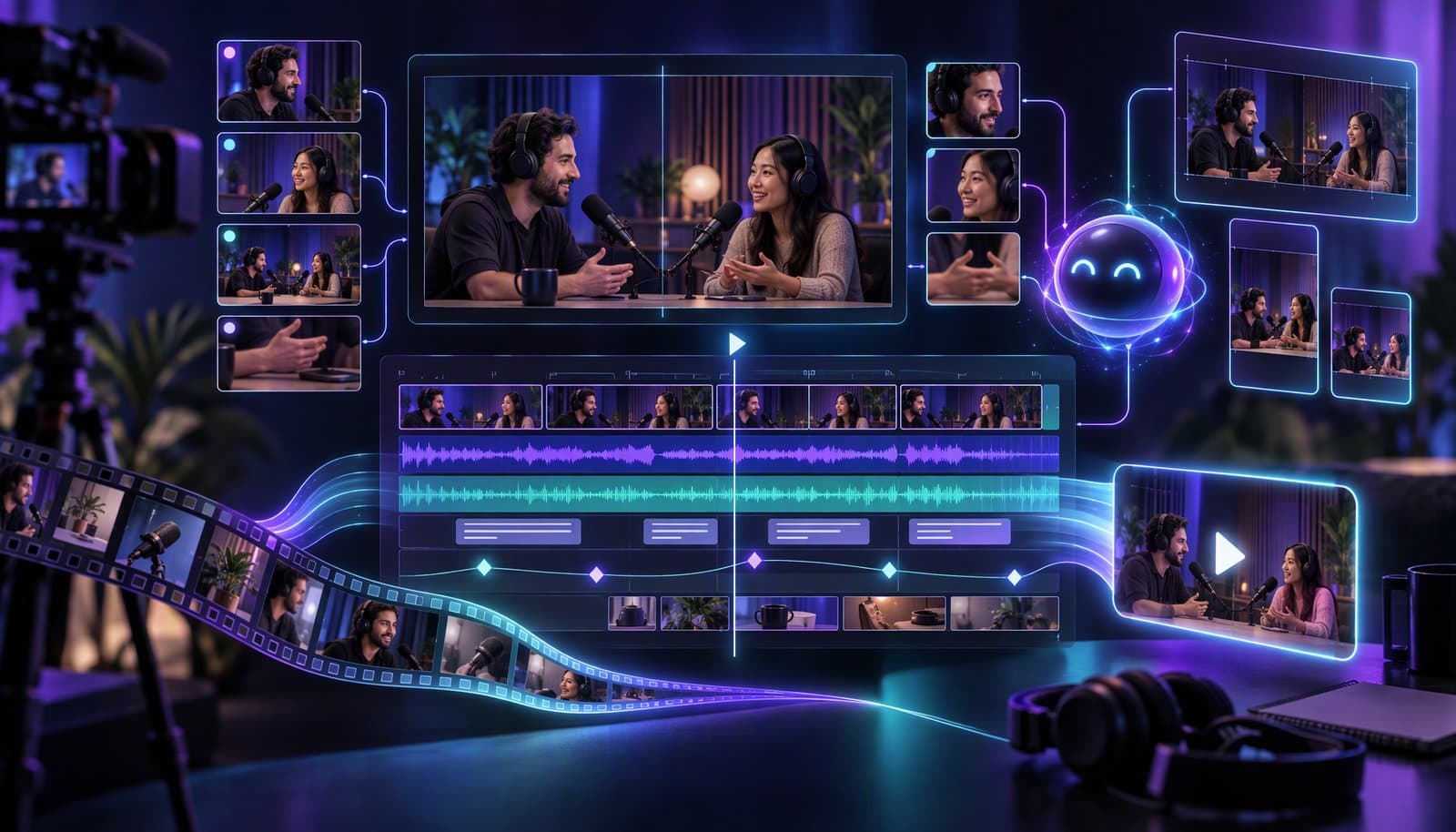
To edit a video podcast: organize and sync your files, cut dead air and filler, switch cameras by speaker, level the audio to about -16 LUFS, add captions and chapters, export a 16:9 master for YouTube and Spotify, then cut 5-10 vertical clips. An AI editor can do the first pass; you review the story.
Video is no longer optional for podcasters. In Edison Research's Infinite Dial 2026 (a January 2026 survey of 2,050 Americans aged 12+), 57% had both listened to and watched a podcast. On October 7, 2026, Edison reported that YouTube is the platform weekly US podcast consumers say they use most often, ahead of Spotify (17%) and Apple Podcasts (9%).
This is the how-to companion to Why Podcasters Are Switching to AI Video Editors, our 250-podcaster study and the podcast editing glossary entry: the steps, the specs each platform asks for, and prompts you can give an AI editor.
Facts checked October 9, 2026 against Edison Research, YouTube Help, Spotify for Creators, Apple Podcasts for Creators, the FTC and the Loopdesk Creator Study. Full disclosure: Loopdesk is our product; the steps work in any editor.
What do you need to edit a video podcast?
You need the source files from every camera and microphone, ideally recorded separately (one video file per speaker plus a wide shot, and separate audio tracks), a clear naming scheme, and a backup. Record at the highest quality you can store; you can always compress later. Loopdesk imports MP4, MOV, MKV, AVI, WAV and MP3.
- Name files by episode, speaker and angle, for example
2026-10-ep042_cam-host.mp4and2026-10-ep042_audio-guest.wav. - Keep the originals untouched and edit from copies or proxies. See proxy editing explained for large files.
- Bring files in from where they live. Loopdesk imports from your computer, Google Drive or Dropbox. For one-to-three-hour recordings, see Best AI Video Editor for Long Videos.
How do you sync multiple cameras and microphones?
Line up every angle and audio track on one timeline using the audio waveform, a clap or a timecode, then check the sync at the start and end of the episode, because drift can build up over long recordings. Pick one clean audio source as the master and mute the rest of the audio from the camera files.
Check how your editor syncs angles before you commit to it; this is the step to test first on a short clip.
How do you do a rough cut with AI?
Start by removing dead air and filler words, then trim false starts and tangents. Silence removal and filler-word removal handle the mechanical part in minutes; you decide what stays. Keep natural pauses so the conversation doesn't sound chopped, and review every cut before you export, because AI can't judge which pause carries meaning.
For the technique, see How to Remove Silence From Video Without Choppy Cuts and the glossary entries for silence removal and filler word removal. Smooth the joins with J-cuts and L-cuts, so audio leads or trails the picture and the edit disappears.
How do you switch cameras in a conversation?
Cut to whoever is speaking, hold a wide shot when both people talk or laugh, and use reaction shots sparingly so the cuts follow the conversation rather than every interjection. Speaker detection can automate the first pass by picking the active angle, and every switch should stay editable on the timeline.
In Loopdesk: AI speaker detection picks the active angle, split-screen or picture-in-picture handles overlap, and every switch stays editable on the timeline. See Automatic Multicam Editing in 2026, multicam editing and speaker detection.
How loud should a podcast be?
Apple Podcasts asks for about -16 LKFS (LUFS) with a +/-1 dB tolerance and a true peak no higher than -1 dBFS. Spotify's -14 LUFS page covers music, and YouTube publishes no podcast loudness target, so -16 LUFS is a sensible single target for a show that goes everywhere.
A 2015 AES recommendation (TD1004) allowed targets between -16 and -20 LUFS with a -1.0 dBTP peak, and AES has since superseded it. The "-16 LUFS stereo, -19 LUFS mono" pair that guides often attribute to AES is not in TD1004. Clean the noise first, then measure integrated loudness on the finished mix. See What Is LUFS? and Noise Reduction vs Voice Enhancement.
How do you add captions and chapters?
Generate captions from the final cut, fix names and jargon, and export an SRT or VTT file plus a burned-in version for clips. For YouTube chapters, put timestamps in the description: the first must be 00:00, you need at least three in ascending order, and each chapter must be at least 10 seconds long.
In Loopdesk: Aura generates captions in 108 languages, including mixed-language and right-to-left scripts, and you review and edit them before export. Scene detection segments footage into scenes you can use as chapter and clip boundaries. Shows that mix languages should budget time for caption review: in the Creator Study, creators producing hybrid-language content spent about 40% more time in post-production, mostly correcting captions.
See How to Add Auto Captions to Any Video and SRT vs VTT.
What export specs do YouTube, Spotify and Apple Podcasts want?
Export a 16:9 MP4 master at 1080p or 4K. YouTube recommends 8 Mbps at 1080p (24-30 fps); Spotify recommends H.264, 1080p or higher, 25 Mbit/s CBR, AAC-LC audio at 128 kbps or more, under 10 GB and 4 hours; Apple Podcasts prefers HLS video but still accepts MOV, MP4 or M4V through RSS.
| Platform | What the official page says (checked October 9, 2026) |
|---|---|
| YouTube | MP4 with H.264. Recommended bitrates for SDR uploads: 1080p 8 Mbps (24-30 fps) or 12 Mbps (48-60 fps); 4K 35-45 or 53-68 Mbps; stereo audio 384 kbps. A podcast on YouTube is a playlist of videos, and RSS ingestion (select countries) creates static-image videos. See Video Bitrate Explained |
| Spotify | Recommended: MP4, H.264, 1080p or higher, 16:9, 25 Mbit/s CBR (1080p) or 35 Mbit/s CBR (4K), 24-60 fps, AAC-LC at 128 kbps or more; file under 10 GB (maximum 60 GB) and under 4 hours (maximum 12 hours). Accepted: "Any bitrate, as long as the file size is within the accepted range" |
| Apple Podcasts | Video announced February 16, 2026. "HLS video is the preferred method for distributing video on Apple Podcasts." MOV, MP4 and M4V through RSS are still allowed. "Apple Podcasts Subscriptions remain audio-only at this time." |
How do you turn an episode into clips?
Pick standalone moments: a strong claim, a story with a payoff, an answered question. Cut each to 20-90 seconds, reframe to 9:16, caption it and end on the payoff. In the Loopdesk Creator Study, clips edited as standalone stories (hook, arc, payoff) got 2-4x higher engagement than mechanically cut segments.
Check the length limits before you batch-export: YouTube Shorts allows up to 3 minutes, Instagram lets you record and edit Reels up to 20 minutes (Reels over 3 minutes won't be recommended to new audiences), and LinkedIn accepts native video up to 15 minutes and 5 GB. The full workflow is in How to Repurpose Long-Form Video Into Shorts, Reels and TikToks; the B2B version is How to Turn a Webinar Into 10 Short Clips With AI. To compare tools, see best AI clipping tools.
How long should editing take?
It varies with length, format and polish, so use your own baseline. In the Loopdesk Creator Study, creators editing manually spent 8-12 hours per batch for 3-5 clips, while those directing an AI agent spent 1-2 hours for 10-15 clips. The study is vendor-run and self-reported, so treat it as directional.
Track three numbers for four episodes in a row: raw length, edit hours and clips shipped. That is your baseline, and it is the only number that tells you whether a new tool or workflow helps. For what it costs to outsource instead, see How Much Does a Video Editor Cost?.
What prompts can you give an AI editor for a podcast?
Give the AI one goal per prompt, name the standard you want, and review the result before the next step. Loopdesk's example prompts include "Remove all silences", "Add captions with a bold style" and "Create 3 vertical clips for TikTok". The prompts below follow that pattern; adjust the details to your show.
| Step | Example prompt (adapt it) | Check before moving on |
|---|---|---|
| 1. Rough cut | "Remove silences and filler words from this episode, but keep natural pauses." | Listen to three random cuts at normal speed |
| 2. Multicam | "Switch to whoever is speaking and use the wide shot when both talk." | Scrub the busiest five minutes |
| 3. Captions | "Add captions with a bold style. Spell these names correctly: [list]." | Read the first and last two minutes |
| 4. Clips | "Find five standalone moments of 30-60 seconds with a hook in the first sentence, reframe to 9:16 and add captions." | Does each clip make sense cold? |
| 5. Brand | "Apply my saved caption style and brand template to all clips." | Is the look consistent? |
| 6. Distribution | "Export one version of each clip for Reels, Shorts and LinkedIn." | File names and specs |
What are the most common video podcast editing mistakes?
The most common mistakes are cutting on every interjection, over-removing pauses until the show sounds robotic, mixing loudness between episodes, burning in captions with unchecked names, exporting one file for every destination, and clipping moments that need the previous question to make sense. Review at normal speed before you publish.
- Cutting on every "yeah." Hold the current angle through short interjections.
- Over-trimming. Keep the pauses that carry meaning; remove only dead air.
- Loudness drift. Measure the finished mix and compare episodes.
- Unchecked captions. Names, brands and numbers are where auto captions fail.
- One export for everything. Each destination has its own spec (above).
- Clips that need context. If a clip only works after the question, add the question as on-screen text.
Sources
Read and verified on October 9, 2026.
- Edison Research, "The Infinite Dial 2026" (published March 12, 2026): https://ssrs.com/insights/the-infinite-dial-2026/
- Edison Research, "The Number 1 Podcast Platform" (October 7, 2026): https://ssrs.com/insights/number-one-podcast-platform/
- YouTube Help, "Video Chapters": https://support.google.com/youtube/answer/9884579 · Podcasts: https://support.google.com/youtube/answer/12751636 · Shorts: https://support.google.com/youtube/answer/15424877 · "Recommended upload encoding settings": https://support.google.com/youtube/answer/1722171
- Spotify for Creators, "Video specs": https://support.spotify.com/us/creators/article/video-specs/ · Loudness normalization: https://support.spotify.com/us/artists/article/loudness-normalization/
- Apple Newsroom, "Apple introduces a new video podcast experience on Apple Podcasts" (February 16, 2026): https://www.apple.com/newsroom/2026/02/apple-introduces-a-new-video-podcast-experience-on-apple-podcasts/ · Apple Podcasts for Creators: https://podcasters.apple.com/support/3684-video-podcasts · https://podcasters.apple.com/support/5593-how-to-publish-video · Audio requirements: https://podcasters.apple.com/support/893-audio-requirements
- AES, TD1004.1.15-10: https://aes.org/wp-content/uploads/2024/01/AESTD1004_1_15_10.pdf
- Instagram Help Center: https://help.instagram.com/2720958398006062 · LinkedIn Help, "Share videos on LinkedIn": https://www.linkedin.com/help/linkedin/answer/a7174587
- FTC, "FTC's Endorsement Guides: What People Are Asking": https://www.ftc.gov/business-guidance/resources/ftcs-endorsement-guides-what-people-are-asking
- Loopdesk Creator Study 2026 (CC BY 4.0): https://loopdesk.ai/research
We omit YouTube's "more than 1 billion monthly podcast viewers" figure because its latest dated source is January 2025. Neither YouTube nor Spotify publishes a podcast loudness target, and we could not read TikTok's upload-length page on October 9.
Frequently Asked Questions
How long does it take to edit a video podcast?
It depends on length, format and polish, so measure your own baseline over four episodes. In the Loopdesk Creator Study, manual editors spent 8-12 hours per batch for 3-5 clips; creators directing an AI agent spent 1-2 hours for 10-15 clips. The study is vendor-run and self-reported.
Should I edit audio or video first?
Edit the story first: do the rough cut and camera switching on the video timeline so picture and sound stay in sync, then clean and level the audio, then add captions. If you also publish an audio-only feed, export it from the finished edit so both versions match.
What loudness should a podcast be?
Apple Podcasts asks for about -16 LKFS (LUFS) with a +/-1 dB tolerance and a true peak no higher than -1 dBFS. Spotify's -14 LUFS page is for music, and YouTube publishes no podcast target, so -16 LUFS is a sensible single target across platforms.
How do you edit a multi-camera podcast episode?
Sync all angles and audio, then cut to whoever is speaking, hold a wide shot when both talk, and keep reaction shots rare. AI speaker detection can make the first pass by choosing the active angle, but check every switch, because cutting on each interjection makes a conversation feel jumpy.
How do you turn a podcast episode into social clips?
Choose standalone moments, cut each to 20-90 seconds, reframe to 9:16, caption it and end on the payoff. An AI editor can find and format candidates in bulk; you choose the final set and check captions. Clips edited as standalone stories got 2-4x higher engagement in the Creator Study.
Do you need music licensing for a video podcast?
Yes, if you use music you didn't create. Use a licensed library or music you have written permission for, and keep the license record. Platforms can mute or claim videos that use unlicensed music. This is general guidance, not legal advice, so read the license terms for your use.
Do I need to disclose sponsors in a video podcast?
If you have a material connection, such as payment, a free product or an affiliate commission, the FTC says to disclose it clearly. For video, its guidance says the disclosure has the best chance of being clear and conspicuous if it is included in the video itself, not only in the description. This is general information, not legal advice.
Does Apple Podcasts support video?
Yes. Apple announced video podcasts on February 16, 2026, prefers HLS video, and still accepts MOV, MP4 and M4V through RSS. Apple Podcasts Subscriptions remain audio-only at this time. Spotify and YouTube have their own specs, listed above.
Ready to cut your next episode's first pass? Open Loopdesk, upload the episode and ask Aura to remove silences, switch to the speaker and caption it. Plans start at $19/month ($15 billed annually); exports are never watermarked.