
YouTube Video Production Workflow: From Idea to Upload (2026)
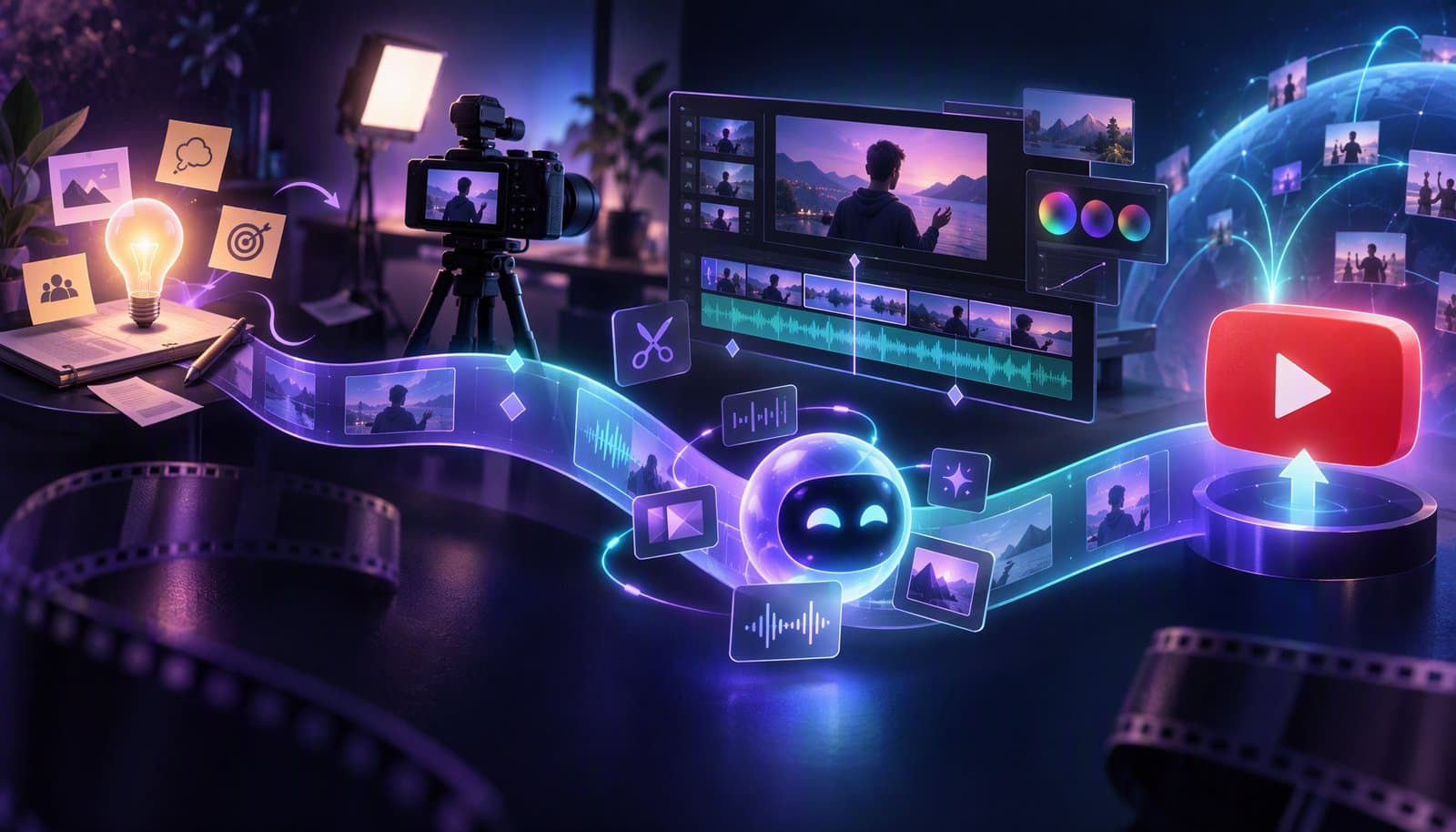
A YouTube video production workflow has nine stages: idea and research, script or outline, pre-production, recording, editing, packaging (title and thumbnail), upload settings, publishing and promotion, and a post-publish review in YouTube Analytics. Sketch the title and thumbnail before you script, lock the edit before you package it, and review results at fixed checkpoints so each video improves the next.
Most creators already have an editing process. What breaks is everything around it: the idea nobody researched, the missed shot, the upload with no chapters, the analytics nobody opened.
Two related posts cover parts of it. Video Workflows for Creators describes four repeatable systems, such as podcast-to-clips and archive mining, and The Video Editing Process Explained covers the edit itself. Here, editing is one stage of nine.
Facts checked October 20, 2026 against YouTube Help (links under Sources). YouTube changes Studio menus and limits often, so confirm in your own account. Disclosure: Loopdesk is our product; the workflow works with any editor.
What is a YouTube video production workflow?
A YouTube video production workflow is the fixed sequence of stages every video goes through, with a clear output at the end of each one. Research produces a promise, the promise shapes the script, the script drives the shot list, and so on.
The point is to make decisions once. When stages, file names and checklists stay the same every week, your energy goes to what only you can do: the idea, the delivery and the judgment calls in the edit.
What are the stages of a YouTube video workflow?
Here are the nine stages with a planning allowance for one solo creator making a 10-minute talking-head video. These are illustrative budgets, not measured benchmarks; footage length, graphics and revisions will move every figure.
| # | Stage | Output | Solo time budget |
|---|---|---|---|
| 1 | Idea and research | A one-sentence promise and a working title | 1-2 hrs |
| 2 | Script or outline | An outline or script, with the hook written out | 1-3 hrs |
| 3 | Pre-production | Shot list, B-roll list, gear check | 30-60 min |
| 4 | Recording | A-roll, B-roll, clean audio, backed-up files | 1-3 hrs |
| 5 | Editing | A locked, captioned 16:9 master | 4-12 hrs |
| 6 | Packaging | Final title and two or three thumbnail options | 1-2 hrs |
| 7 | Upload settings | Description, chapters, captions, audience and disclosures | 20-40 min |
| 8 | Publishing and promotion | Scheduled video, Shorts cutdowns, a community post | 30-60 min |
| 9 | Post-publish review | Two lines of notes for the next video | 30 min per checkpoint |
That's roughly 10 to 25 hours per video. Log your real hours for four videos, then replace these allowances with your own.
Stage 1: Idea and research
Start with the viewer's question, not your topic. Write down who the video is for, what they'll be able to do afterwards, and why they'd click it over the videos already answering the same search.
- YouTube search and autocomplete show how people phrase the question and what already exists.
- The Trends tab in YouTube Studio Analytics shows, in YouTube Help's words, "what your audience and viewers across YouTube are searching for", including top searches over the last 28 days. (YouTube began retiring the separate Inspiration tab in August 2026.)
- Your comments and your Stage 9 log tell you what viewers asked for and what worked last time.
The output is a one-sentence promise and a working title. If you can't describe the title and thumbnail yet, the idea isn't ready to script.
Stage 2: Script or outline
Write the hook word for word, even if you only outline the rest. The opening has to confirm the title's promise quickly; Audience Retention and the Retention Cliff explains why an early drop is the first thing to check later.
A dependable outline: hook (the result or question, first sentence), setup (why it matters), body (three to five sections, each a likely chapter), payoff (delivered in full, not saved for the outro) and one next step pointing to a related video. Write the chapter titles now; they become your description timestamps.
Stage 3: Pre-production
Turn the script into a shooting plan: the A-roll (you on camera) plus a B-roll shot for every point that needs a screen recording, close-up or cutaway. The day before, check batteries, card space, microphone levels and lighting, and set a file-naming scheme such as 2026-10-ep12_a-cam.mp4 so the edit starts organized.
Stage 4: Recording
Monitor the microphone with headphones and record a few seconds of room tone. Shoot the hook several times; it's the part you'll most want options for. Back up the cards before you pack up, to a drive and to cloud storage, and never edit from the only copy.
Stage 5: Editing
Editing turns footage into a locked master. Its internal steps (ingest, assembly, rough cut, fine cut, picture lock, then color, sound, graphics and export) are in The Video Editing Process Explained, so they aren't repeated here.
Two YouTube habits belong in this stage. Mark chapter points and candidate Shorts moments as you edit. Then export to YouTube's recommended settings: MP4 with H.264 video and AAC-LC (or Opus) audio, at 8 Mbps for 1080p or 35-45 Mbps for 4K (SDR, 24-30 fps). For tools, see Best AI Video Editor for YouTube.
Stage 6: Packaging titles and thumbnails
Treat the title and thumbnail as one message: the thumbnail shows the result or tension, and the title adds the context the image can't. What YouTube Help documents as of October 2026:
- Titles can be up to 100 characters.
- Custom thumbnails should be 3840 x 2160 pixels for videos (minimum width 640), in a format such as JPG or PNG, up to 50 MB from a computer or 2 MB from a phone. They need phone verification.
- A/B testing compares up to three titles, thumbnails or pairs in YouTube Studio on a computer, then shows everyone the version with the highest watch time share. Shorts can't be tested.
Check every option at the small size it appears in a phone feed.
Stage 7: Upload settings
Keep the video private and run the same checklist every time. Videos longer than 15 minutes need a verified account.
| Setting | What to do | What YouTube Help says |
|---|---|---|
| Description | Answer the video's question in the first two lines | Up to 5,000 characters |
| Chapters | Paste the timestamps from Stage 2 | First at 00:00, at least three in ascending order, each at least 10 seconds |
| Captions | Upload a corrected file or review auto captions | Files such as .srt or .vtt are accepted; auto caption quality "may vary" |
| Audience | Say whether it's made for kids | Required for every video, wherever you live |
| AI use | Disclose realistic AI-generated or altered content | Required for content "that seems realistic"; AI help with a script or title is exempt |
| Paid promotion | Declare sponsorships and product placements | Adds a disclosure label at the start of the video |
| End screens and cards | Point to one related video | End screens fit the last 5-20 seconds of videos at least 25 seconds long; up to 5 cards |
| Visibility | Private while you check, then schedule | Public, Private or Unlisted, or a scheduled date and time |
For descriptions, transcripts and search, see our video SEO guide.
Stage 8: Publishing and promotion
Pick a publishing time from your own data: the Audience tab in YouTube Analytics shows when your viewers were on YouTube over the last 28 days. YouTube doesn't publish a universal best time to post.
Then promote the video where your audience already is: Shorts cutdowns that tease the payoff (Shorts can run up to 3 minutes, square or vertical), a community post with the thumbnail and one question, a pinned comment with the resource people will ask for, and other platforms, reframed and captioned. For the scheduling side, see How to Schedule Videos on YouTube, TikTok and Instagram.
Stage 9: Post-publish review in YouTube Analytics
Review at fixed checkpoints, such as 7 and 28 days after publishing, so every video is compared at the same age. YouTube Help says data can take a few days to appear. And since August 24, 2026, YouTube counts a view the moment any video starts to play, so compare view counts with older videos carefully.
At each checkpoint, answer three questions:
- Did the packaging earn the click? Compare thumbnail impressions click-through rate with your recent videos. YouTube Help says half of all channels and videos fall between 2% and 10%.
- Did the video keep its promise? Check average view duration, average percentage viewed and the retention curve. Key moments (intro, top moments, spikes and dips) appear for videos at least 60 seconds long with 100 or more views.
- Did viewers act? Read likes, comments, shares and subscribers gained as rates, not totals; see engagement rate.
Write two lines in a log: what you'll repeat and what you'll test next. That log feeds the next video's Stage 1.
How do you hand off work to a video editor?
With an editor, the stages stay the same, but each hand-off needs a written brief so nothing gets decided twice. Agree on revision rounds and turnaround before the first project.
| Hand-off | You send | Editor returns |
|---|---|---|
| Brief | Script or outline, title and thumbnail idea, target length, reference videos, must-keep moments | Questions before starting |
| Footage | Named files in folders, sync notes, timestamps of your best takes | Confirmation every file opens |
| Cut reviews | One consolidated list of timecoded notes per round | A revised cut, then a locked master |
| Delivery | Export spec and a list of Shorts moments | Master, caption file, thumbnail frames, Shorts |
Keep packaging and the analytics review yourself, even if you outsource the edit; they're where the channel's strategy lives.
Where do AI tools fit in a YouTube workflow?
AI helps most in the mechanical work of Stages 5 and 8: transcription, removing silences and filler words, captions, rough cuts and vertical cutdowns. It doesn't replace the idea, the delivery or your judgment.
In Loopdesk (disclosure: Loopdesk is our product), Aura can transcribe and caption a video, propose an edit plan you review and apply, remove silences and filler words, and generate highlight clips reframed for Shorts. The Calendar schedules a rendered video to your connected YouTube channel; Loopdesk advises checking YouTube after the scheduled time to confirm it published. Channel Insights then shows that channel's views, watch time, average view percentage and engagement over 7, 30 or 90 days.
The limits: YouTube is the only social platform you can connect today, there's no free plan or trial, and it needs a browser and an internet connection. Whatever tool uploads the video, confirm chapters, audience and AI-use settings in YouTube Studio. In the Loopdesk Creator Study, creators using agentic workflows shipped 3-5x more content in about one-fifth the editing time; the study is vendor-run with self-reported timings.
Sources
YouTube Help pages read on October 20, 2026:
- Titles and descriptions: https://support.google.com/youtube/answer/57404 · Thumbnails: https://support.google.com/youtube/answer/72431 · Feature eligibility: https://support.google.com/youtube/answer/9890437 · A/B testing: https://support.google.com/youtube/answer/16391400
- Longer uploads: https://support.google.com/youtube/answer/71673 · Encoding: https://support.google.com/youtube/answer/1722171 · Shorts: https://support.google.com/youtube/answer/12779649
- Chapters: https://support.google.com/youtube/answer/9884579 · Captions: https://support.google.com/youtube/answer/2734796 · Made for kids: https://support.google.com/youtube/answer/9528076 · AI disclosure: https://support.google.com/youtube/answer/14328491 · Paid promotion: https://support.google.com/youtube/answer/154235
- End screens: https://support.google.com/youtube/answer/6388789 · Cards: https://support.google.com/youtube/answer/6140493 · Visibility: https://support.google.com/youtube/answer/157177 · Scheduling: https://support.google.com/youtube/answer/1270709
- Trends: https://support.google.com/youtube/answer/11962757 · Inspiration tab: https://support.google.com/youtube/answer/15575509 · When viewers are on YouTube: https://support.google.com/youtube/answer/9314416
- View counting: https://support.google.com/youtube/answer/2991785 · Retention and key moments: https://support.google.com/youtube/answer/9314415 · Impressions CTR: https://support.google.com/youtube/answer/7628154 · Data delays: https://support.google.com/youtube/answer/6085583
- Loopdesk Creator Study 2026 (CC BY 4.0): https://loopdesk.ai/research
Frequently Asked Questions
What are the steps in a YouTube video workflow?
There are nine stages: idea and research, script or outline, pre-production, recording, editing, packaging the title and thumbnail, upload settings, publishing and promotion, and a post-publish review in YouTube Analytics. Each stage ends with an output the next one needs.
How long does it take to make a YouTube video?
It depends on length, footage and polish. As an illustrative budget, a solo creator's 10-minute talking-head video can take roughly 10 to 25 hours across all nine stages, with editing the biggest share. Log four videos to find your own number.
Should you make the thumbnail before or after the video?
Sketch the title and thumbnail idea before you script, because they set the promise the video has to keep. Make the final thumbnail after the edit, and use YouTube's A/B testing to compare up to three versions.
What settings should you check before publishing on YouTube?
Check the title (up to 100 characters), description (up to 5,000), chapters, captions, the made-for-kids setting, the AI use disclosure for realistic altered content, paid promotion, end screens and cards, and visibility. Keep the video private until every item is done.
When should you check YouTube Analytics after publishing?
Use fixed checkpoints, such as 7 and 28 days after publishing, so videos are compared at the same age. YouTube Help says data can take a few days to appear. Look at thumbnail click-through rate, average percentage viewed, retention and engagement.
Can AI handle a YouTube production workflow?
AI can speed up the mechanical stages: transcription, silence and filler removal, captions, rough cuts and Shorts cutdowns. It can't pick the idea, deliver it on camera or judge what should stay. Review every AI edit and confirm upload settings in YouTube Studio.
Want the editing stage to take less of your week? Try Loopdesk - upload a recording, ask Aura for a rough cut and captions, and schedule the finished video to your YouTube channel.